How Do You Make a Game Using Natural Language?
Explains how natural language is translated into game systems, logic, and assets through intent-driven AI workflows.

The hardest part of making a game has never been the idea. Most people who want to make a game have a clear picture of what it should feel like: the genre, the mechanics, the mood, the moment-to-moment experience. The hard part has always been the gap between that picture and a working playable file.
Natural language game development is a methodology that closes that gap by letting you describe what you want the game to do in plain English and letting an AI system handle the assembly. Not as a one-shot generator that hands you a random result, but as an agentic system that plans, builds, checks its own work, and revises based on your feedback.
This is not about instant game creation from a single prompt. It is about removing the technical friction that has historically consumed most of a solo developer's time: writing boilerplate code, wiring systems together, managing file formats, and debugging regressions. When an AI handles that layer, the creator's time goes toward the parts that actually determine whether a game is worth playing.
This article walks through the full workflow: from choosing the right platform, to describing your game concept, to building logic, to iterating on the result. Each step uses plain-language prompting as the primary tool, with no syntax knowledge required at any stage.
Step 1: Choose a Platform Built for Natural Language Workflows
Not every AI tool that accepts a text prompt is built for natural language game development. There is a meaningful difference between a general-purpose language model that generates code snippets and an AI-native studio that maintains project state, generates art, and orchestrates multiple systems simultaneously.
Traditional engines like Unity and Godot are runtimes for code. They are powerful tools for production-scale games built by teams with engineering resources. They are not designed to interpret intent. If you describe a mechanic to Unity, nothing happens. If you describe a mechanic to an AI game development studio, the system plans and implements it.
For natural language game development to work end-to-end, the platform needs three things. First, intent-driven input: the ability to interpret a plain-English description of what you want and translate it into working systems. Second, integrated art generation: characters, backgrounds, and props created in the same environment so you are not managing files between external tools. Third, system orchestration: the AI maintains awareness of how all the pieces relate to each other so new additions do not break what was already built.
Makko is built on this model. Art Studio handles everything from concept art through character generation, backgrounds, and animations. Code Studio takes that art and turns it into a playable game through plain-language prompting. The two environments share the same project, so the character you built in Art Studio is the same one that appears in your game in Code Studio. No file transfers. No format conversions. No switching between tools, this is what vibe coding looks like in a structured, integrated workflow.
Step 2: Start With Art Before You Write a Single Line of Game Logic
Most guides on AI game development start with the code. Start with the art instead. The reason is practical: when you build your characters, backgrounds, and environments before writing game logic, the world you are building feels concrete. The decisions you make about mechanics are grounded in a specific visual context rather than abstract descriptions.
In Makko's Art Studio, the workflow begins with concept art. Create a Collection, describe the visual world you are building, and generate concept art that establishes the mood, color palette, and art style. Everything that follows references those concept images as AI Reference Guidance, which keeps every character, background, and prop visually consistent without requiring detailed style descriptions in every prompt.
From the concept art foundation, generate your characters with the Character Asset Type selected. This automatically removes backgrounds from the output, so sprites arrive game-ready without any editing. Generate backgrounds and props the same way. By the time you move to Code Studio, you have a complete asset library that matches visually and is ready to use.
This sequence matters for natural language game development because it means your first Code Studio prompt can reference specific, real assets rather than hypothetical placeholders. "Add my warrior character to the forest background and have it run left and right" is a concrete instruction. "Add a character to a background" is not. Concrete prompts produce better results.
Step 3: Describe Your Game Concept Using Outcomes, Not Instructions
When you open Code Studio, the first thing to establish is the core concept: what the player does, what creates challenge, and what defines success or failure. This is the foundation of the game loop, and getting it clear in plain language before adding any systems on top of it is the single most important decision in the process.
The key is to describe outcomes rather than implementation. You do not need to tell the AI how to build collision detection or a state machine. You need to tell it what the game should feel like and what the rules are. The AI handles the how. You handle the what.
Here are three prompt frameworks that work consistently for establishing a core game concept:
Notice what these prompts do not include: no mention of variables, no collision layer configuration, no state machine architecture. The AI infers all of that from the outcome description. Your job is to describe the experience clearly. The AI's job is to figure out what systems are required to produce it.
Step 4: Build Game Logic Through Conversation
Once the core concept is established, you build game logic the same way you built the concept: by describing what you want and letting the agentic AI implement it. Each prompt adds a layer to the game. Each layer builds on what was already created, not in isolation from it.
This is where the difference between agentic AI and a one-shot generator becomes visible. When you add a new mechanic to a game in Makko's Code Studio, the agent checks what already exists before writing anything. It knows how the player movement system works, what state variables are in use, and how the enemy behavior is structured. The new mechanic is woven into the project rather than appended to it. This is what prevents state drift, which is the most common reason AI-built games become unstable over multiple sessions.
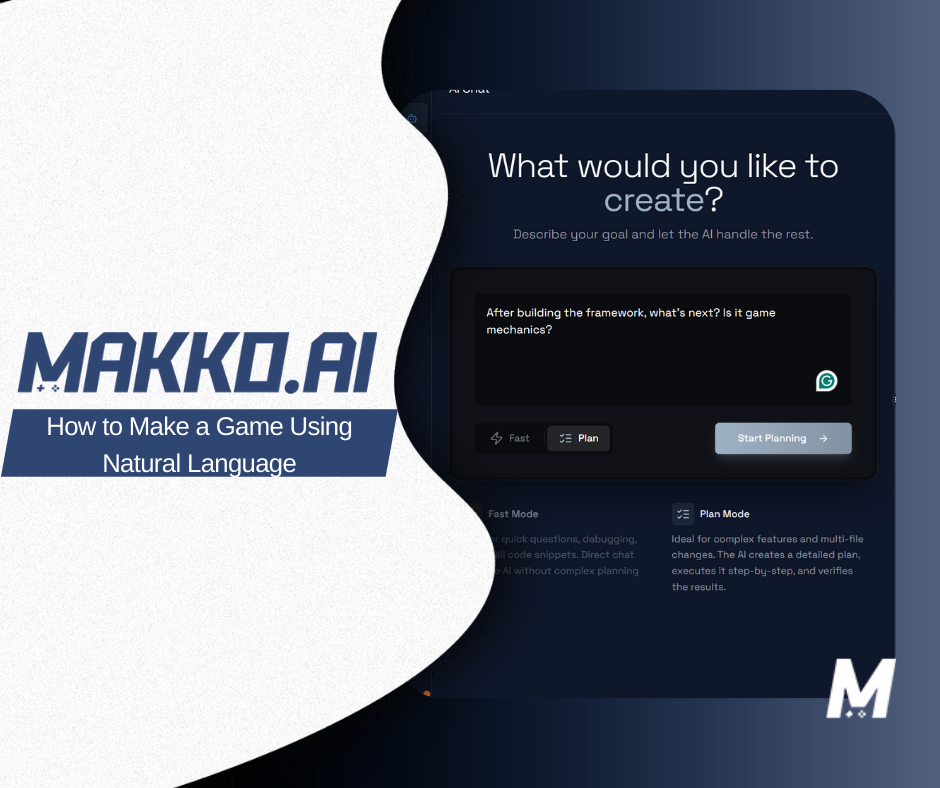
For complex additions, use Plan Mode. Before the agent writes anything, it surfaces a plan: what it intends to build, which existing systems it will touch, and what the expected result is. You can read the plan, push back on any part of it, and approve before execution begins. This is the right approach for any mechanic that will affect multiple parts of the game.
For targeted, well-scoped changes, Fast Mode executes immediately without the planning layer. Changing a value, adding a sound trigger, or adjusting a spawn rate are all appropriate Fast Mode tasks. The distinction is simple: if the change could break something that already works, use Plan Mode. If the scope is clear and isolated, Fast Mode is faster.
Practical logic prompts that work well in this workflow:
Step 5: Iterate Through Description, Not Debugging
Iteration in a natural language workflow looks different from iteration in a traditional engine. In a traditional engine, a mechanic that does not feel right requires locating the relevant script, understanding the existing code, making a targeted change, and testing the result. Each cycle takes time proportional to the complexity of the codebase.
In a natural language workflow, you describe what feels wrong and the AI identifies what needs to change. You do not need to know where the code lives or how it is structured. You need to know what the game should feel like instead. "The enemies feel too slow in the first thirty seconds. Speed them up slightly at the start and ramp faster after the one-minute mark." That is a complete iteration prompt. The agent finds the relevant system, adjusts the values, and preserves everything else.
This approach also works for feel-based feedback that would be difficult to translate into code directly. "The jump feels floaty" is not a technical instruction, but it is a clear direction. The agent interprets it as a request to adjust gravity, jump velocity, or air control, and proposes changes that address the stated feeling. You evaluate the result, describe any remaining issues, and iterate again.
The iteration loop is what separates a tool from a workflow. Natural language game development is not about getting the perfect result from a single prompt. It is about maintaining a fast, low-friction loop between "this is what I want" and "this is what exists." Each pass brings the game closer to the original vision without requiring the creator to become a programmer to get there.
When to Use Plan Mode vs. Fast Mode
One of the most practical decisions in natural language game development is knowing how much reasoning to apply to each prompt. Makko's Code Studio gives you direct control over this through Plan Mode and Fast Mode.
Plan Mode is for anything architectural. New systems, new mechanics, anything that touches existing logic across multiple parts of the game. The agent plans before it builds, which surfaces dependencies and potential conflicts before they become problems. For a creator without a technical background, Plan Mode is the safety net that keeps the project stable as complexity grows.
Fast Mode is for discrete, well-defined tasks. Adjusting a value, adding a UI element, changing a spawn rate. Tasks where the scope is clear and the risk of unintended side effects is low. Fast Mode skips the planning layer and executes immediately, which is significantly faster for the routine changes that make up most of a build session.
The practical test is one question: could this change break something that already works? If yes or uncertain, Plan Mode. If clearly no, Fast Mode. Developing an intuition for this distinction is one of the fastest ways to improve the efficiency of a natural language game development workflow.
What Natural Language Game Development Cannot Do
A complete picture of this workflow requires being direct about its limits. Natural language game development is not the right tool for every situation, and overstating what it can do sets creators up for frustration.
It is not a replacement for Unity or Godot on a production-scale game that requires custom rendering, multiplayer networking, or platform-specific optimization. Those games need full engineering teams and traditional engines. Natural language development is the right tool for prototyping, validating ideas, and building games that can live as browser-playable experiences. It is excellent at getting from zero to a playable result quickly. It is not designed for shipping a title that requires engine-level control.
Many creators use Makko to prototype and validate an idea, then move to a traditional engine for full production once the core loop is proven. That is a sensible workflow for teams with engineering resources. For solo creators and small teams without them, the browser-playable result is often the goal itself. For real examples of what this looks like in practice, see what creators have built using only natural language prompts.
Frequently Asked Questions
What is natural language game development?
Natural language game development is the practice of describing what you want a game to do in plain English and letting an AI system plan and implement the underlying code and logic. Instead of writing scripts or configuring a traditional engine, you describe the player goals, mechanics, and rules in conversational language and the AI handles the assembly.
Can you really make a game without writing any code?
Yes, using an AI-native studio like Makko. You describe what you want the game to do, the agentic AI builds the logic, and you play the result in your browser. The workflow covers art generation, game logic, and iteration entirely through plain-language descriptions. No syntax knowledge is required. For a full step-by-step walkthrough, see the complete guide to making a game without coding.
What is the difference between natural language game development and using a no-code game maker?
No-code game makers let you configure from a fixed menu of features. If the feature is not listed, it cannot be built. Natural language game development generates custom logic from your description, so the creative constraint is what you can articulate rather than what the tool has pre-built. It handles unconventional mechanics and genre-specific behavior that fixed templates cannot.
How do you describe a game loop in plain English?
Focus on outcomes rather than implementation. Describe the player goal, what creates tension or challenge, and what defines success or failure. For example: "The player collects resources to survive. Enemies spawn every ten seconds and move faster over time. The run ends when the player's health reaches zero." That is enough for an agentic AI to plan and build the core loop.
What happens when a natural language prompt produces the wrong result?
You describe the correction in the same plain-English format and the AI revises its output. Unlike traditional engines where a change might require editing multiple files, an agentic system identifies only the specific modules that need updating. The iteration loop stays open and the rest of the project remains stable.
For detailed walkthroughs and live feature demos, visit the Makko YouTube channel.