Can You Make a Game Without Coding?
Shows real examples of games built with AI without coding and explains the constraints that shape what is possible..

Yes. You can make a real game without writing any code. The more useful question is what that actually looks like in practice: what the AI handles, what you still control, and where the approach has genuine limits worth understanding before you start.
This is not a theoretical question about whether AI-generated games are "real" games. It is a workflow question. In Makko, you describe what you want the game to do and the agentic AI builds the logic, manages system dependencies, and produces a browser-playable result. You do not write scripts, configure components, or debug code. You describe the experience and iterate on the result.
This article explains how that workflow actually works: what "no coding" means in practice, how the art pipeline fits in, what the real workflow looks like from blank page to playable game, and where the limits are. For a deeper look at how natural language game development works under the hood, see the dedicated explainer.
What "Making a Game Without Coding" Actually Means
When people search for how to make a game without coding, they are usually not saying they want zero logic in their game. They are saying they do not want to write or maintain traditional programming syntax. They want to focus on the game: the mechanics, the feel, the player experience. Not the implementation layer underneath it. For a foundational overview of this approach, see the original no-code game development guide.
This approach is called no-code game development. Instead of implementing systems manually, you describe behavior and outcomes in plain language and the AI handles the underlying logic. The shift is from implementation to intent: you define what the game should do, not how the code makes it happen. This is the core of intent-driven game development.
In practice, this means the game still has collision detection, state machines, event triggers, win and loss conditions, and all the other systems a playable game requires. You just did not write any of that. You described the player experience you wanted, and the agentic AI planned and assembled the systems required to produce it.
This is also what people mean when they talk about vibe coding: iterating on feel, pacing, and rules through plain-language descriptions rather than editing code directly. "The jump feels too floaty" is a vibe coding prompt. "The first 30 seconds are too slow" is a vibe coding prompt. The creative direction is entirely human. The technical execution belongs to the AI.
The Full Pipeline: Art First, Then Game Logic
Making a game without coding in Makko means no drawing skills are required either. The platform handles both the art pipeline and the game logic pipeline, and they are connected by design. For a complete overview of what this looks like from start to finish, see the full guide on how to make a 2D game with AI.
The workflow starts in Art Studio. You create a Collection for your project, describe the visual world you want to build, and generate concept art that establishes the mood, color palette, and art style. Collections serve two purposes simultaneously: they organize your assets and they give the AI persistent context about your game's visual world. Every character, background, and prop generated inside a Collection references those concept art images as style anchors, which keeps everything visually consistent without requiring detailed style descriptions in every prompt.
From the concept art foundation, you generate characters using the Character Sprite preset, which automatically produces a transparent background and a sprite-ready format. Backgrounds and props follow the same workflow inside their own sub-collections, each inheriting the visual context from the parent Collection. After generating a character, Makko prompts you to create a Reference Sheet: three views of the same character from front, side, and back. This is required before animation, because the AI needs the multi-angle view to generate consistent game art across every animation frame.
By the time you open Code Studio, you have a complete library of matching game art ready to use. No file transfers. No format conversions. The assets you built in Art Studio are available directly in Code Studio through the Asset Library.
Building the Game Loop Without Writing Code
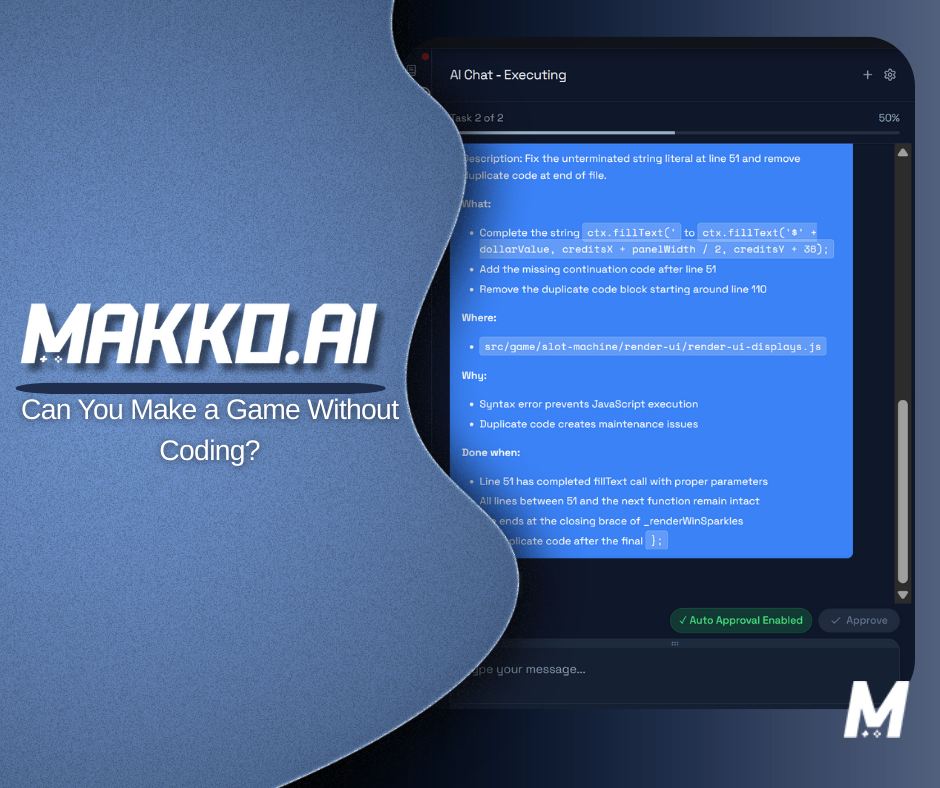
Code Studio is where the game is built. The interface has three tabs: AI Chat, where you describe what you want the game to do; Code Tab, where the underlying code is visible if you want to review it; and Preview Tab, where the live game runs as you build it.
The primary workflow is AI Chat. You describe the game loop in plain English: what the player does, what creates challenge, what defines success or failure. The agentic AI reads your description, plans the systems required to produce it, checks the current project state, and implements them in the correct order. You do not see the planning layer unless you use Plan Mode, but it is happening before every build.
Quick Actions at the top of the interface give you pre-built prompts for the most common tasks. Add a Character lets you select a character manifest and add it to the game scene with a prompt. Add a Background lets you choose from your asset library and specify where and how it displays. Assign an Action maps character animations to player input controls. These Quick Actions are the fastest path for the tasks you will do repeatedly.
A complete game loop description that gives the agent enough to build from covers three things: the player goal, the source of tension, and the win and loss conditions. Here is an example:
That description is enough for the agent to plan and build player movement, collision detection, enemy patrol behavior, a coin collection system, a score display, a level progression structure, and win and loss conditions. No technical vocabulary required. No implementation instructions needed. The agent infers the required systems from the described experience.
Iterating Without Touching Code
Once the core loop is playable, iteration happens through the same conversational workflow. You play the game, identify what feels wrong, and describe the change. The agent identifies which systems need to be updated and makes the targeted change without affecting the rest of the project.
Makko's Code Studio manages iteration through two modes. Plan Mode is for complex or architectural changes: adding new systems, redesigning mechanics, anything that will ripple through multiple parts of the game. The agent maps the full scope of the change and presents the plan for your review before building anything. You can push back, ask for alternatives, and approve before execution. Nothing is built until you confirm.
Fast Mode is for targeted, well-scoped changes: adjusting a value, adding a UI label, tweaking a spawn rate. It executes immediately without the planning layer, which is faster for routine changes where the scope is clear and the risk of unintended effects is low. The practical rule is the same one applies throughout the workflow: if the change could affect something that already works, use Plan Mode. If the scope is isolated and clear, Fast Mode is the faster path.
Saves work the same way. Automatic saves are generated after every AI action, so you can revert to any previous state. Manual saves create deliberate checkpoints before risky implementation work. If a complex change does not produce the result you wanted, you can roll back to the last manual save and try a different approach.
What This Looks Like in Practice: A Real Workflow
To make this concrete, here is what a complete session building a simple 2D platformer without coding looks like in Makko.
You open Art Studio and create a new Collection named after your game. You describe the visual world: a dark forest platformer with hand-drawn illustration style, muted greens and browns, a moody atmospheric feel. You generate concept art that establishes this direction. The concept art is saved to the Collection's Concept Art tab and becomes the AI Reference Guidance for everything that follows.
Inside the Characters sub-collection, you select those concept art references, choose the hand-drawn art style, and describe your player character: a small hooded figure with a lantern. The Character Sprite preset is auto-selected. You generate, evaluate the result, iterate if needed, save the character, and generate a Reference Sheet. You repeat this for an enemy character. In the Backgrounds sub-collection, you generate a parallax forest background using the same art style and concept art references.
You switch to Code Studio. You use the Add a Character Quick Action to place the player character into the scene, then use AI Chat to describe the game loop: movement, jumping, enemy patrol behavior, collision loss condition, and a simple level structure. The agent builds it. You play it in the Preview Tab.
The jump feels off. You describe the correction. The movement speed needs adjusting. You describe that. You want a score counter. You describe where it should appear and what should increment it. Each change goes through AI Chat and is visible in the Preview Tab immediately after the agent builds it. No code was written at any point in this session.
Where the Limits Are
No-code AI game development has real limits and being clear about them is more useful than obscuring them.
It is not suited for large-scale open-world 3D games, highly customized physics or rendering engines, complex multiplayer networking infrastructure, or production pipelines that require platform certification and team-scale engineering workflows. These projects need traditional engines and engineering resources. Trying to use a no-code AI approach for them is the wrong tool for the job.
Within its intended scope, the quality of results scales with the clarity of your descriptions. Vague prompts produce vague results. The more specifically you describe the outcome you want, the more precisely the agent can plan and implement it. This is a skill that develops quickly with practice, but it is a skill nonetheless.
State drift is also a real risk when the iterative process is not managed carefully. Adding many systems quickly without reviewing each result can produce a project where new logic conflicts with older logic. Building incrementally and using Plan Mode for complex changes prevents most of these issues. The agent checks project state before every action, but giving it clear, scoped instructions makes that check more effective.
For most creators who want to make games without coding, these limits are not relevant to their project. The sweet spot is 2D games of any genre, visual novels, browser-playable experiences, and rapid prototyping of game concepts before committing engineering resources. Within that scope, no-code AI development does what it promises.
Frequently Asked Questions
Can you make a real game without writing any code?
Yes. In Makko, you describe what you want the game to do in plain English and the agentic AI builds the logic, handles system dependencies, and produces a browser-playable result. You do not write scripts, configure components, or debug code. You describe the experience and iterate on the result. For a full step-by-step walkthrough, see the complete guide to making a game without coding.
No-code game development means building a playable game without writing or maintaining traditional programming syntax. Instead of implementing systems manually, you describe behavior and outcomes in plain language and the AI handles the underlying logic. The shift is from implementation to intent: you focus on what the game should do, not how the code makes it happen. This is the foundation of prompt-based game creation.
What is vibe coding in game development?
Vibe coding is the practice of describing what you want software to feel like and letting an AI system handle implementation. In game development, it means iterating on feel, pacing, and rules through plain-language descriptions rather than editing code directly. "The jump feels too floaty" or "the first 30 seconds are too slow" are vibe coding prompts. The creative direction is human. The technical execution belongs to the AI.
Do you need art skills to make a game without coding?
No. Makko's Art Studio handles the full art pipeline: concept art, character generation, backgrounds, props, and animations. You describe what you want and the AI generates it. Collections keep all art visually consistent across the entire project by anchoring every generation to the same concept art references. No drawing skills are required at any stage.
What types of games can you build without coding?
No-code AI game development works best for 2D games of any genre: platformers, top-down shooters, roguelikes, puzzle games, idle games, survival games, and visual novels. It is optimized for browser-playable experiences and rapid prototyping. It is not designed for large-scale open-world 3D games, custom physics engines, or production pipelines that require deep engine customization.
For detailed walkthroughs and live feature demos, visit the Makko YouTube channel.