Prompt-Based Game Creation: How Text Becomes Gameplay
Explains how prompt-based game creation functions behind the scenes and why structure matters more than wording.

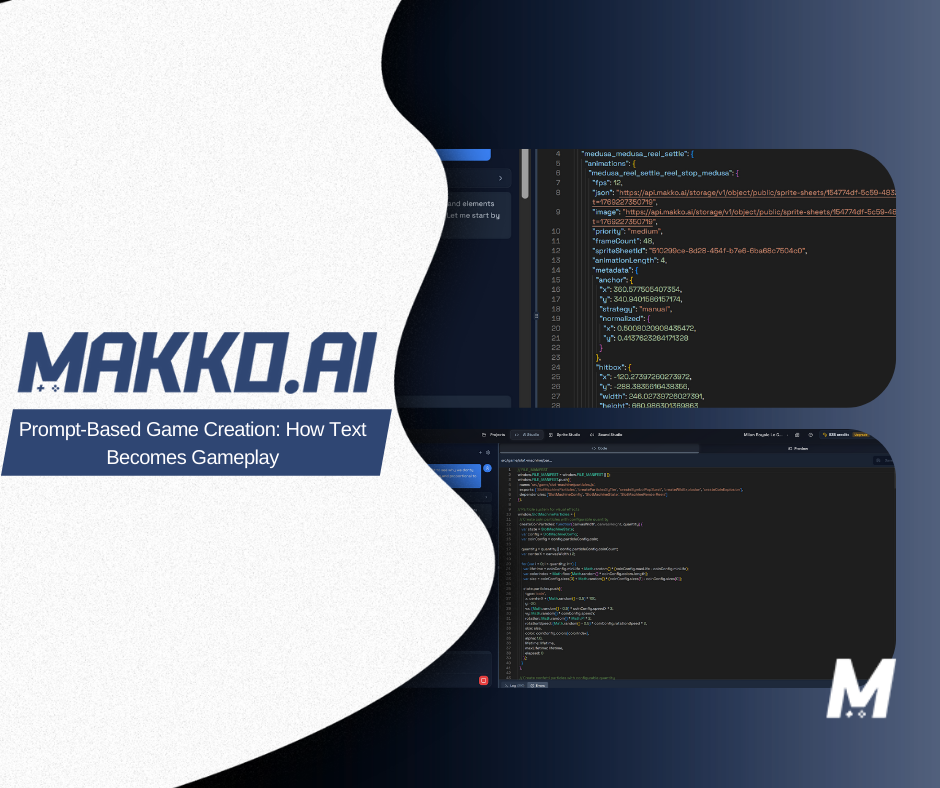
Prompt-based game creation is an approach to game development where you describe what a game should do in plain English and an AI system interprets that description, generates the required assets, assembles the game logic, and produces a playable result. Instead of writing code or manually wiring systems together, you define the experience you want and refine it through conversation.
This is not a one-shot generator that produces a random game from a single sentence. It is a structured workflow where the AI maintains awareness of the full project across every session, plans changes before implementing them, and checks new additions against what already exists. The result is a coherent, evolving game rather than a collection of disconnected generated outputs.
This article explains how that workflow works step by step, what the AI is actually doing when you submit a prompt, why the approach is fundamentally different from implementation-first development, and where it has real limits worth understanding. For definitions of terms used throughout, reference the Makko AI Game Development Glossary.
What Prompt-Based Game Creation Actually Means
In a prompt-based workflow, written descriptions replace many of the manual steps that traditionally define game development. Rather than scripting behaviors, configuring scene hierarchies, or manually wiring event triggers, the creator expresses intent in plain language. The AI system translates that intent into structured game logic, assets, and interactions.
This is closely related to natural language game development, and it is powered by multi-step planning and system coordination rather than isolated generation. The distinction matters: a one-shot AI tool responds to a prompt and returns an output with no awareness of what surrounds it. A prompt-based game creation system uses agentic AI that reads the full project state before every action, plans what needs to be built, checks dependencies, and implements changes that fit coherently into what already exists.
The practical difference is stability. One-shot generation produces outputs that look correct in isolation but often break when combined with the rest of a project. Agentic prompt-based creation produces outputs that are aware of the project they are entering, which is what allows a game to grow in complexity across multiple sessions without accumulating the state drift that causes most AI-built games to become unstable over time.
Step 1: Start With the Visual World, Not the Code
In Makko, prompt-based game creation begins in Art Studio, not Code Studio. Starting with art before writing game logic is not just a preference. It is the foundation that makes every subsequent prompt more precise and more coherent.
You create a Collection for the project and describe the game world: its mood, visual tone, art style, and atmosphere. From that description, you generate concept art that establishes the visual foundation for everything that follows. Collections give the AI persistent context about the game's visual world. Every character, background, and prop generated inside the Collection references that concept art as AI Reference Guidance, which keeps the art consistent across the entire project without requiring detailed style instructions in every generation prompt.
Characters are generated inside Collections using the Character Sprite preset, which automatically produces a transparent background in a sprite-ready format. After saving a character, Makko prompts you to generate a Reference Sheet: front-facing, side-facing, and back-facing views of the same character. This is required before animation. Without it, the AI does not have the multi-angle view needed to generate consistent animation frames.
Backgrounds and props follow the same workflow in their own sub-collections, each inheriting the visual context of the parent Collection automatically. By the time you move to Code Studio, you have a complete library of visually coherent game art that is immediately available to use in your game. No file management. No format conversion. No switching between tools.
Step 2: Describe the Game Concept as Outcomes
The first prompt you write in Code Studio defines the core game concept. The most effective prompts at this stage describe outcomes rather than implementation. You define the game loop in terms of what the player does, what creates challenge, and what determines success or failure. You do not explain how systems should be coded or how events should be wired. The agentic AI infers the required implementation from the described experience.
A well-structured opening prompt covers three things: the player goal, the source of tension, and the win and loss conditions. Here are two examples that give the agent enough to build a coherent core loop from:
Neither prompt mentions collision detection, state machines, event handlers, or any other implementation detail. The agentic system identifies what systems are required to produce the described experience and plans the build accordingly. The creator's job at this stage is to describe the experience clearly. The agent's job is to determine how to build it.
Step 3: The AI Interprets and Plans Before Building
When you submit a prompt in Code Studio, the agentic AI does not immediately generate output. It reads the current project state first. It checks what systems already exist, what state variables are in use, and how the new request interacts with what has already been built. Only after that check does it plan the sequence of implementation steps required, and only after planning does it begin building.
This planning layer is what separates Makko's Code Studio from a chatbot that generates code. The agent acts as a technical lead that understands the whole project, not just the current prompt. When you add a scoring system to a game that already has enemy behavior and a health system, the agent checks how score increments, health changes, and enemy interactions relate to each other before touching anything. The new system is integrated rather than appended.
For complex additions that will touch multiple parts of the project, Plan Mode surfaces the full plan for your review before execution. The agent maps what it intends to build, which existing systems it will modify, and what the expected result is. You can read the plan, push back on any part of it, and approve before anything is written. For targeted, well-scoped changes, Fast Mode executes immediately without the planning review. The practical rule is consistent throughout the workflow: if the change could affect something that already works, Plan Mode. If the scope is clear and isolated, Fast Mode.
Step 4: Assets and Logic Are Assembled as a Connected Whole
Once the core concept is planned, the agent assembles the systems required to make it playable. This is where the difference between prompt-based game creation and one-shot generation becomes most visible.
A one-shot tool generates components in isolation. It might produce a movement script, an enemy behavior function, and a collision handler as separate outputs with no awareness of how they relate to each other. You are responsible for integrating them into a project and managing the dependencies between them.
In Makko's Code Studio, the agent assembles connected systems. Events trigger the correct behaviors. State changes propagate correctly. Win and loss conditions check the right variables. The game logic is wired as a coherent whole from the first build, not as a collection of parts that require manual integration.
Quick Actions at the top of the Code Studio interface give you pre-built prompts for the most common assembly tasks. Add a Character lets you select a character manifest from your Art Studio library and place it in the game scene. Add a Background pulls from your asset library and sets display options. Assign an Action maps character animations to specific player input controls. These Quick Actions handle the most repetitive tasks in the assembly phase without requiring you to write the full prompt from scratch each time.
Step 5: Iterate Through Conversation, Not Code
Iteration is the core of prompt-based game creation. You do not aim to get the full game right in the first prompt. You establish the core loop, play it in the Preview Tab, identify what needs to change, and describe the change. Each cycle brings the game closer to the intended experience without requiring you to understand or edit the underlying code.
This is also what makes vibe coding possible. You describe what the game feels like rather than what the code should say. "The enemies feel too slow in the first minute" is an iteration prompt. "The jump arc feels off" is an iteration prompt. "The score counter is too small and hard to read" is an iteration prompt. The agentic system identifies what needs to change to produce the described feel and applies only those changes, leaving the rest of the project stable.
Because the agent maintains state awareness across sessions, the project stays coherent as it grows. Logic added in session one is still intact and functioning correctly in session ten. Each iteration builds on a stable foundation rather than risking the state drift that accumulates when sessions of one-shot generation are stacked on top of each other without a persistent awareness layer.
Save states support this workflow. Automatic saves are generated after every AI action, so you can revert to any previous state. Manual saves create deliberate checkpoints before complex changes. If an iteration produces an unexpected result, you roll back to the last checkpoint and try a different prompt. The iteration loop stays open and the stable parts of the project are always protected.
Who Prompt-Based Game Creation Is For
Prompt-based game creation is a strong fit for a wide range of creators, connected by the same shared benefit: the ability to turn a game idea into a playable prototype with minimal technical friction.
For beginners with no coding background, it removes the barrier that has historically separated wanting to make a game from actually making one. The learning curve is not a scripting language or an engine architecture. It is learning how to describe what you want clearly and evaluate whether the result matches your intent. Both of those skills develop quickly in practice. For real examples of this workflow in action and a deeper look at intent-driven game development, see what creators have built using only prompts.
For designers and artists who have ideas about how a game should feel but not how to implement it, prompt-based creation lets them work directly in the medium of the game rather than through a technical intermediary. The design work and the building work happen in the same conversation.
For experienced developers who want to prototype quickly, it compresses the early validation phase significantly. Testing whether a core loop is fun before investing engineering resources in it is one of the most valuable things you can do in game development. Prompt-based creation makes that test cheap and fast.
For educators teaching game design concepts, it removes the implementation barrier entirely and lets students focus on design decisions: what makes a game feel fair, what creates tension, how difficulty curves work, why some mechanics are satisfying and others are not.
Where the Limits Are
Prompt-based game creation reduces implementation overhead significantly, but it does not eliminate all constraints. Being clear about where it works and where it does not is more useful than presenting it as a universal solution.
It is well-suited for 2D games of any genre, visual novels, browser-playable experiences, and any project where the goal is to validate a concept quickly or build a complete game without engineering resources. Within that scope, the workflow is capable and efficient.
It is not designed for large-scale open-world 3D games, custom physics engines, complex multiplayer networking infrastructure, or production pipelines that require deep engine-level customization. Projects with those requirements need traditional engines and engineering teams. The two approaches are not in competition. They serve different stages and different project types, and many creators use Makko for prototyping before moving to Unity or Godot for full production once the core concept is validated.
Within its scope, the quality of output scales directly with the clarity of the prompts. Vague descriptions produce vague results. Specific, outcome-focused descriptions of what the game should feel like and what the rules are produce results that are much closer to what you intended on the first build. The skill of writing effective prompts develops quickly, but it is worth understanding that the creator's ability to describe the experience clearly is as important as the AI's ability to implement it.
Frequently Asked Questions
What is prompt-based game creation?
Prompt-based game creation is an approach to game development where you describe what a game should do in plain English and an AI system interprets that description, generates the required assets, assembles the game logic, and produces a playable result. Instead of writing code or manually wiring systems, you define the experience you want and iterate through conversation.
How is prompt-based game creation different from one-shot AI generation?
One-shot AI generation produces a single output from a single prompt with no awareness of the broader project. Prompt-based game creation uses agentic AI that maintains awareness of the full project state across sessions, plans changes before implementing them, and checks new additions against existing systems. The result is a coherent, evolving game rather than a collection of disconnected generated outputs.
What kinds of prompts work best for game creation?
Prompts that describe outcomes work better than prompts that describe implementation. Define the player goal, the source of challenge, and the win and loss conditions rather than explaining how systems should be coded. The more specifically you describe the experience you want, the more precisely the AI can plan and implement it.
Can prompt-based game creation handle complex mechanics?
Yes, within the scope of 2D games and browser-playable experiences. Complex mechanics with many interdependencies require more iterative prompting to get right, but the approach supports them. The agentic system checks how each new mechanic interacts with existing systems before implementing, which prevents the state drift that causes most AI-built games to become unstable over time.
Does prompt-based game creation also handle art generation?
In Makko, yes. Art Studio handles the full visual pipeline through the same description-based approach. You describe the game world, generate concept art, then build characters, backgrounds, props, and animations that all reference the same visual foundation through Collections. The art and game logic pipelines are connected: assets built in Art Studio are available directly in Code Studio. For a full step-by-step walkthrough of the complete workflow, see the complete guide to making a game without coding.
For detailed walkthroughs and live feature demos, visit the Makko YouTube channel.
Related Reading
- AI Game Generator From Text: How to Build Games Using Natural Language
- How Agentic AI Chat Builds Game Logic
- AI Character Creator vs Sprite Sheets: What's Actually Happening
- How to Add Animated Characters to a Game Using Makko
- State Awareness vs One-Shot Prompts: Why Your AI Game Logic Keeps Breaking