AI Game Generator vs Game Engine (Unity, Godot, GDevelop)
Compares AI game generators and traditional engines to clarify differences in control, setup friction, and iteration speed.

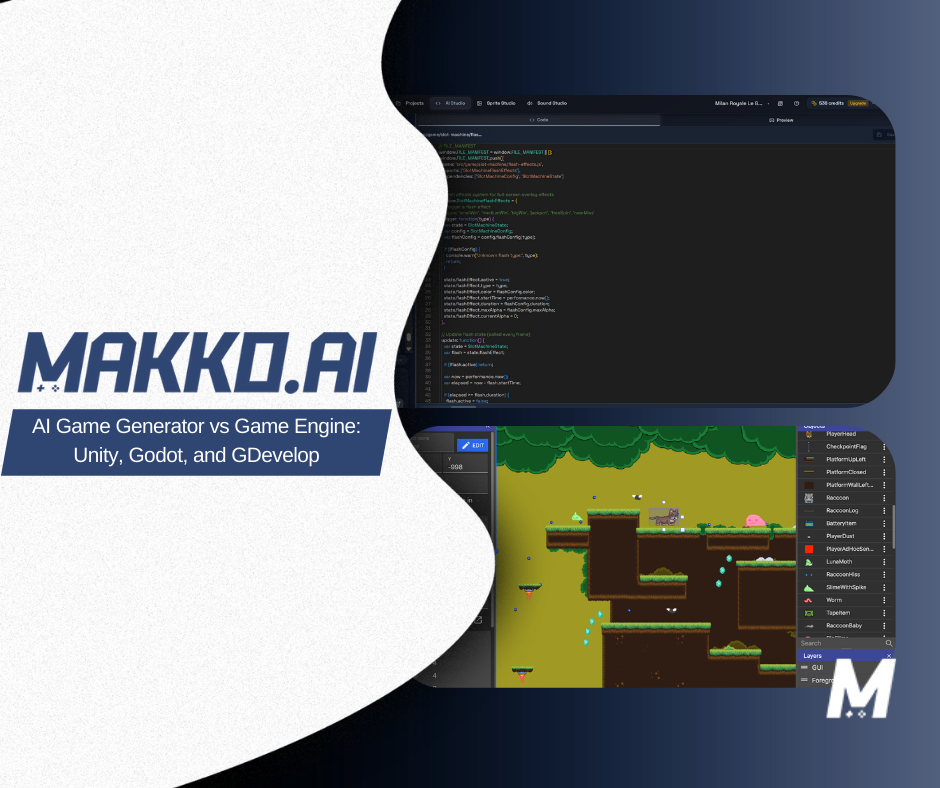
At a glance, an AI game development studio and a game engine like Unity, Godot, or GDevelop both help you make games. In practice, they operate at different levels of abstraction, serve different stages of a project, and make different assumptions about who is using them and what they need.
This is not a ranking of which is better. It is a breakdown of how they differ, when each approach makes sense, and why the two categories are better understood as complementary tools than competing ones. The choice between them is not about quality. It is about how you want to work and what your project actually requires.
For definitions of terms used throughout this article, reference the Makko AI Game Development Glossary.
What a Game Engine Actually Is
A traditional game engine is a framework that provides the core systems required to build a game: rendering, physics, input handling, audio, scene management, UI, and asset pipelines. Unity, Godot, and GDevelop all sit in this category, with different approaches to how those systems are exposed and configured.
What they share is that they give you direct control over implementation. You wire systems together by writing code, configuring components, and debugging edge cases manually. Even when visual scripting is available, as it is in Godot and GDevelop, you are still defining the logic, the dependencies, and the failure cases yourself. The engine provides the infrastructure. The developer provides the assembly.
Unity is the most widely used engine for commercial games. It has a large asset store, an extensive documentation library, and a long production track record across mobile, console, and PC. Its learning curve is steeper than Godot, and its licensing model has changed in ways that affect some projects. It is the right choice for teams with engineering resources building at scale.
Godot is open source and free, with a gentler learning curve and a growing community. GDScript, its primary scripting language, is readable and well-documented for beginners. Godot is a strong option for indie developers who want engine-level control without Unity's licensing complexity. Both Godot and Unity require meaningful time investment before you can build anything playable.
GDevelop positions itself as a no-code or low-code engine with event-based logic and a visual interface. It lowers the barrier compared to Unity and Godot but still operates within a predefined set of behaviors and templates. If the mechanic you want is not in the event sheet, you need to find a workaround or write JavaScript extensions.
All three engines answer the same core question: how do I build this? They assume you have a clear implementation plan and the technical capacity to execute it.
What an AI Game Generator Actually Is
An AI game generator operates at a higher level of abstraction. Instead of implementing systems manually, you describe what you want the game to do and an agentic AI interprets that description, plans the required systems, and assembles them into a playable result.
This approach is called intent-driven game development. Creators define outcomes, not implementation steps. You describe the player goal, the source of challenge, the win and loss conditions, and the systems you want. The AI figures out how to build them.
A well-built AI game generator is not a one-shot content generator. It uses agentic AI to maintain awareness of the full project state across sessions, plan changes before implementing them, check new additions against existing logic, and self-correct when conflicts arise. The result is a system that participates in building the game rather than just responding to isolated prompts.
Makko combines an AI game generator with a full art pipeline. Art Studio handles concept art, character generation, backgrounds, props, and animations. Code Studio turns that art into a playable game through plain-language prompting. Both environments share the same project, so the assets you build in Art Studio are the ones that appear in your game. No file transfers, no format conversions, no switching between tools.
The question an AI game generator answers is different from the one a game engine answers. A game engine asks: how do I build this? An AI generator asks: what should this game do?
AI Game Generator vs Game Engine: Direct Comparison
| Category | AI Game Generator | Game Engine (Unity, Godot, GDevelop) |
|---|---|---|
| Primary focus | Intent and outcomes | Implementation and control |
| Time to first playable | Minutes to hours | Hours to days |
| Required technical skill | Low | Medium to high |
| Iteration style | Refine description and regenerate | Edit code, logic, and components manually |
| Asset generation | Built in (art, animation, code) | External tools required |
| Best for | Prototyping, learning, fast iteration, solo creators | Production builds, optimization, scale, team pipelines |
| Primary limitation | Not suited for engine-level customization or large-scale production | High setup overhead; slow start for non-technical creators |
The Core Difference: Intent vs. Implementation
The most important distinction between an AI game generator and a traditional engine is not a feature list. It is where the creative and technical work happens.
In a game engine, you work at the implementation level. When a player collides with an object, you decide what collision means, how it is detected, how the game state changes in response, and what happens next. This is precise work that gives you complete control over every detail. It also requires you to manage every detail, which is expensive in time and requires a certain level of technical fluency.
In an AI game generator, you work at the intent level. You describe the player behavior and the outcome you want. The agentic system determines what collision detection means in practice, what state variables are required, and how to wire the response. You evaluate the result and describe corrections. The implementation details are the agent's responsibility, not yours.
This is not a shortcut that sacrifices quality. It is a different allocation of where human creative energy goes. In a game engine, a meaningful portion of development time is consumed by setup, configuration, and debugging. In an AI-native workflow, that time goes toward describing the experience you want to create and evaluating whether the result achieves it. For many creators, especially those without engineering backgrounds, that reallocation is what makes the difference between a game idea that gets built and one that does not.
When to Use an AI Game Generator
An AI game generator is the right tool when your priority is speed, iteration, and creative momentum. It is particularly well-suited to a specific set of situations that come up repeatedly in game development.
The first is prototyping. Testing whether a game idea is actually fun before committing engineering resources to it is one of the most valuable things you can do in game development. An AI generator makes that test cheap and fast. You can have a playable version of a core loop within a single session, play it, identify what works and what does not, and iterate. The validation happens before the investment, not after.
The second is solo development. Building a game alone with a traditional engine means you are simultaneously the designer, the programmer, the artist, and the project manager. Each role competes for time. An AI generator compresses the programmer and artist roles significantly, letting a solo creator focus on what the game should be rather than how every system is wired.
The third is accessibility. For creators who have a clear game vision but no coding background, traditional engines present a genuine barrier. The time required to reach a playable state from zero is measured in weeks or months of learning before a single mechanic works. An AI generator moves that timeline to the first session.
The fourth is vibe coding: the practice of describing what you want software to feel like and letting an AI system handle implementation. For game development, this means iterating on feel, not code. "The jump feels too floaty" is a prompt. "The first 30 seconds are too slow" is a prompt. The creative direction is entirely human. The technical execution is the agent's job.
When a Traditional Game Engine Is the Better Choice
There are clear situations where Unity, Godot, or GDevelop is the right tool and an AI generator is not. Being direct about this is more useful than obscuring it.
If your project requires maximum implementation control, custom rendering behavior, highly optimized performance at scale, complex multiplayer networking, or a long production cycle with a specialized engineering team, a traditional engine is the right choice. These projects need the infrastructure and control that engines provide, and AI generators are not designed to replace that layer.
Godot is particularly worth noting for indie developers who want engine-level control without Unity's licensing complexity. Its open-source model, readable scripting language, and active community make it a strong choice for developers who are willing to invest the time to learn it properly. For a detailed comparison of how Makko and Godot differ in workflow, see Makko vs Godot.
For a direct comparison of Makko and Unity across workflow, setup time, and use case fit, see Makko vs Unity.
Why These Are Different Categories, Not Competing Tools
The framing of AI game generator versus game engine implies a competition where one will eventually replace the other. That is not the right frame. They solve different problems at different stages of a project.
A game engine is infrastructure. It is optimized for production: maximum control, deep customization, long-cycle development, and performance at scale. An AI game generator is a creative interface. It is optimized for the earlier phase: moving from idea to playable quickly, validating whether an idea is worth building, and iterating on the experience without the overhead of manual implementation.
Many creators use both in sequence. Makko for prototyping and validation. Unity or Godot for full production once the core loop is proven and the project warrants the engineering investment. The AI generator compresses the early phase. The engine handles the scale phase. Together they form a more efficient pipeline than either does alone.
The broader shift this represents is toward agentic AI in game development: systems that act on creator intent rather than requiring explicit implementation instructions at every step. This is not replacing game engines. It is adding a new layer that makes the early stages of game creation more accessible and more efficient for a wider range of creators.
The Setup Friction Gap
One of the most underappreciated differences between AI game generators and traditional engines is setup friction: the time and effort required before you can build anything playable.
In Unity, before a single mechanic works, you have installed the editor, configured a project, chosen a rendering pipeline, set up a scene, imported or created assets, and written at least some code. For an experienced Unity developer this is routine. For a beginner or a designer without a technical background, it is a significant barrier that precedes any creative work.
Godot reduces this friction compared to Unity, but setup is still required. GDevelop reduces it further, but its event-based system still has a learning curve before you can build anything meaningful.
In an AI-native studio, there is no setup phase in the traditional sense. You open the platform, describe your game, and start building. The first playable result comes from the first session. For more detail on how this plays out across specific metrics, see The Setup Friction Benchmark: Makko vs Traditional Engines.
Frequently Asked Questions
What is the difference between an AI game generator and a game engine?
A game engine like Unity or Godot is an implementation framework. You write code, configure components, and manually wire systems together. An AI game generator operates at a higher level of abstraction: you describe what you want the game to do and the AI plans and implements the required systems. Engines answer "how do I build this?" AI generators answer "what should this game do?"
Does an AI game generator replace Unity or Godot?
No. They solve different problems. A game engine provides infrastructure for production-scale games: fine-grained implementation control, custom rendering and physics, performance optimization, and complex multiplayer systems. An AI game generator provides a creative interface for moving from idea to playable quickly. Many creators use AI generators for prototyping and validation, then move to a traditional engine for full production.
Is Godot or an AI game generator better for beginners?
For absolute beginners who want to make a game without learning to code or configure an engine, an AI game generator is the faster path. Godot has a gentler learning curve than Unity, but it still requires understanding scenes, nodes, and GDScript before you can build anything playable. An AI generator lets you start building from your first session.
How long does it take to go from idea to playable in a game engine vs an AI generator?
In a traditional engine like Unity or Godot, reaching a first playable prototype typically takes hours to days depending on your experience level and the complexity of the idea. In an AI-native studio like Makko, you can reach a playable result in the same session you started. The gap is largest for creators without coding experience.
When should I use a game engine instead of an AI game generator?
Use a traditional game engine when your project requires maximum implementation control, custom rendering or physics behavior, highly optimized performance at scale, complex multiplayer infrastructure, or a long production cycle with a specialized team. If any of those requirements define your project, Unity or Godot is the right tool.
For detailed walkthroughs and live feature demos, visit the Makko YouTube channel.