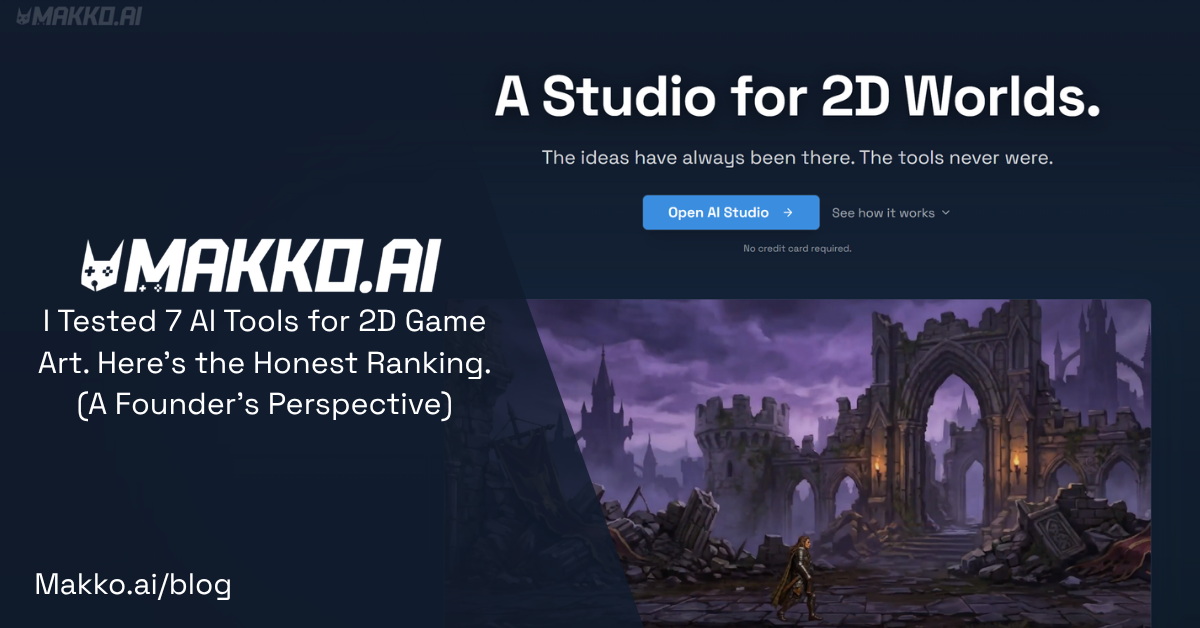
I Tested 7 AI Tools for 2D Game Art. Here's the Honest Ranking. (A Founder's Perspective)
A co-founder tested 7 AI tools for 2D game art as someone who cannot draw. Here is the honest ranking, including where each one breaks down.

By Kyle McCool, Co-Founder, Makko AI
Full disclosure first. I am one of the co-founders of Makko AI, which is one of the tools below. I built it because I could not draw and got tired of every AI art generator producing five impressive characters that looked like they came from five different games. That is the bias going in. I have tried to write this the way I would want to read it before I started the company, not as a sales piece, which means Makko is not always the answer below.
The frame I am rating on is the actual job: shipping a 2D game when you cannot draw. Not "make one cool image." Not "prototype something in an afternoon." Ship a project with a coherent visual identity, 50 to 200 assets, and a real chance of being played by people who are not your friends. I tested each of these tools over the last four months with that goal in mind.
1. Midjourney
The raw image quality is still the best in this space. Nothing beats it for one-off concept art or a marketing screenshot. The problem is that the moment you need character number two to look like character number one wearing a different outfit, the system stops cooperating. Style references help. They do not solve it.
For single-asset hero shots, Midjourney is in a different tier from everything else on this list. For a full game, it started breaking down around asset 30 in my tests. Each character looked great in isolation and nothing like the others collectively.
Best for: concept exploration, marketing art, one-off images.
Worst for: anything that needs to look like it belongs to a set.
2. Leonardo AI
Lives in the middle. Decent image quality, real tooling built for game art specifically, including sprite sheets and tilesets, and pricing that makes it accessible for solo devs. Character consistency improves with their trained model feature but stays inconsistent enough across a full set that you end up doing manual cleanup, which adds back the time you were trying to save.
I shipped one prototype with Leonardo. The prototype looks like Leonardo, not like a game with its own visual identity. That is the core limitation of this category of tool.
Best for: prototyping, learning the workflow, hobbyist projects.
Worst for: a project you want to look distinctively yours.
3. Scenario
The closest thing to a real production tool on this list. You train custom models on your own art or licensed assets and generate against them. The output is consistent because the model itself is consistent. That is a meaningfully different architecture from every other tool here, and the results reflect it when you have the right inputs going in.
The catch is that Scenario assumes you already have a production pipeline, which most solo devs do not. The learning curve is significant and the pricing reflects that it targets studios, not individuals building their first game on a limited budget.
Best for: small studios with an art director and a real production budget.
Worst for: a solo dev with no art background and a modest monthly budget.
4. Layer AI
Specifically focused on character generation. Strong at posing and keeping a single character recognizable across different actions and views. Less useful for environments and props. If your project is character-heavy, a visual novel, RPG, or fighter, Layer is worth serious consideration. If your project is environment-heavy, a platformer or exploration game, it leaves you to solve the rest of your pipeline somewhere else.
Best for: character-driven games where keeping one character consistent across poses matters most.
Worst for: games that need more than characters to feel complete.
5. Recraft
Strong for individual assets, especially vector-style work and icons. Great for UI elements and standalone props. Not built for a full asset set with a unified style across characters, backgrounds, and environments. I use it as a supplementary tool when I need something specific, not as a primary pipeline.
Best for: UI elements, icons, individual props in a vector style.
Worst for: building a complete, visually unified game art pipeline.
6. Rosebud
A different category from every other tool on this list. Rosebud is a prompt-to-playable tool, not an art tool. You describe a game and it builds something playable. The art is generic by design because the focus is on getting a working prototype into your hands fast. If your goal is to ship something playable tonight and you do not care that it looks like every other Rosebud project, this is the fastest path to something that runs.
Best for: hackathons, gameplay prototyping, learning game design concepts quickly.
Worst for: a game you want to have its own distinctive look.
7. Makko AI (the one we built)
The disclosure at the top still applies. The pitch, stated as objectively as I can manage: we built Makko because every other tool on this list either solved consistency for studios at studio prices, or did not solve it at all. The Collections feature locks a visual style across an entire project. Every character, background, object, and animation you generate after that stays in the same style. Characters look like they belong with the backgrounds. Animations match the static art. Props feel like part of the world, not like they were sourced from three different places.
The weaknesses, plainly: individual asset quality on a single image is below Midjourney. There is nothing comparable to Scenario's depth of model training options. If you want photorealistic concept art, this is not the right tool.
Best for: solo devs and small teams shipping a 2D game with a unified visual identity, especially if you cannot draw.
Worst for: one-off images, photorealism, or projects that do not need visual consistency across a full asset set.
How the 7 Tools Compare
| Tool | Style Consistency | Full Game Pipeline | Learning Curve | Best Starting Point |
|---|---|---|---|---|
| Midjourney | Low across sets | No | Low | One-off art |
| Leonardo AI | Medium | Partial | Low-Medium | Prototyping |
| Scenario | High (with training) | No | High | Studio production |
| Layer AI | High (characters only) | No | Medium | Character-heavy games |
| Recraft | Low across sets | No | Low | UI and icons |
| Rosebud | N/A (generic art) | Yes | Very Low | Fast prototypes |
| Makko AI | High across full set | Yes | Low-Medium | Full 2D game projects |
How I Would Actually Pick
If you have $20 a month and want to ship something real: Leonardo for early prototyping and learning the workflow, Makko for the actual project, Midjourney for marketing screenshots and key art.
If you have a real production budget and an existing art pipeline: Scenario for trained models, Midjourney for concept development, Layer for character work if the game is character-heavy.
If you just want to play with making a game tonight: Rosebud. No setup required.
If your project is mostly characters: Layer, with Makko or Leonardo covering backgrounds and props.
What I Wish Someone Had Told Me at the Start
The tool matters less than committing to one and learning it well. I spent the first two months bouncing between five of these and produced nothing usable. In the third month I picked one, learned its quirks, and started actually shipping art.
The other thing worth saying clearly: style consistency is the hardest problem in AI game art, not image quality. If you are choosing between two tools and one makes more impressive single images but drifts noticeably across a full set, while the other makes slightly less impressive individual images that hold together visually, pick the second one. Players do not scrutinize individual asset quality. They notice when something feels off across the whole game, even when they cannot say what is wrong.
Happy to answer questions in the comments. Not pitching anything specific in replies.
Kyle McCool
Co-Founder, Makko AI
For detailed walkthroughs and live feature demos, visit the Makko YouTube channel.
Related Reading
- AI Game Art Generator: Characters, Backgrounds, Animations and Why Consistency Is the Hard Part
- How to Use Makko AI Collections: Build Consistent Game Art With AI
- AI Character Generator for Games: How to Create Consistent 2D Characters With AI
- Make a 2D Game With AI: Art, Characters, and a Playable Game From One Platform
- What Is Makko Art Studio? The AI Game Asset Generator Built for Game Developers