Makko AI Is Live: Make 2D Games With AI, No Drawing, No Coding
Makko AI launches publicly today. Create characters, backgrounds, animations, and playable 2D games by describing what you want. Free to start.

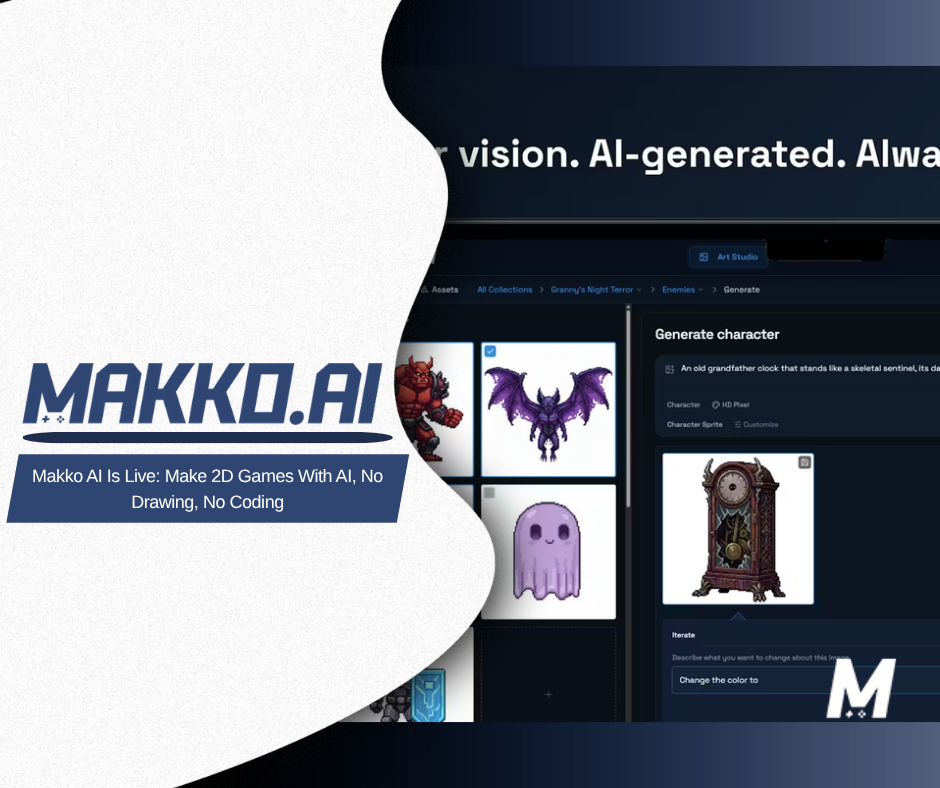
Today Makko AI launches publicly on Product Hunt. If you have been following the devlogs, the Sector Scavengers build, or the tutorials on this blog, this is the moment the platform gets introduced to a much wider audience. If you are arriving here for the first time, this article covers what Makko is, how it works, and what you can build from day one for free.
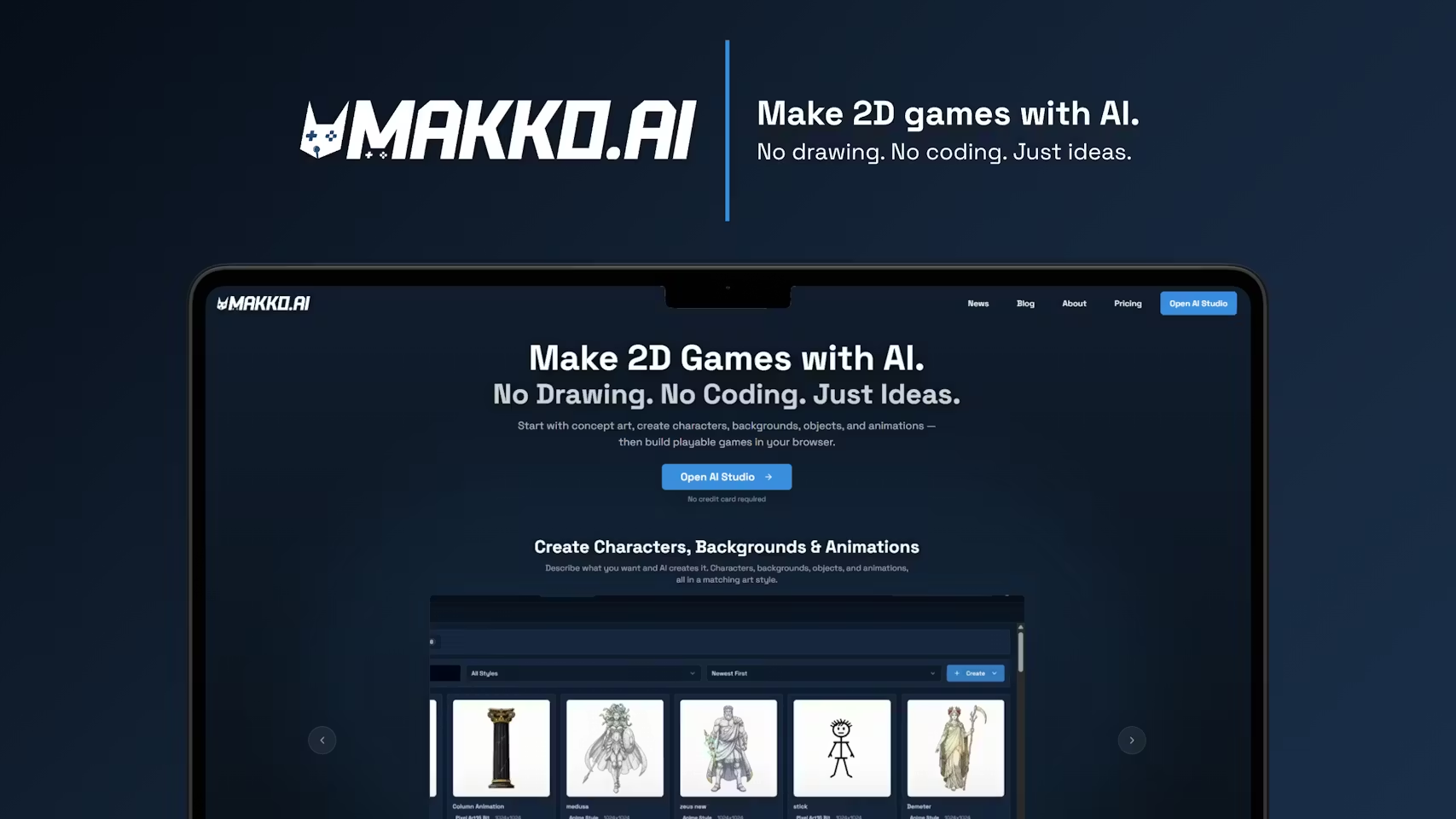
The short version: Makko is an AI-powered 2D game studio. You describe what you want and Makko creates it: concept art, characters, backgrounds, objects, animations, and playable games. No drawing skills. No coding skills. Just ideas.
The longer version is what this article is for. What the platform actually does, how the workflow is structured, why Collections changes what is possible for solo creators, and the numbers behind the platform after thousands of creators put it through its paces during beta.
The Problem Makko Is Built to Solve
Making a 2D game from scratch has always required two skill sets that rarely live in the same person: the ability to build game systems and the ability to create game art. Most solo developers and hobbyists are strong in one and blocked by the other. Traditional tools do not bridge that gap. They assume you already have both.
General AI image tools moved the needle but did not solve the problem. They produce individual images that still require significant manual work before they are usable in a game: background removal, format handling, frame work for animation. They also produce art without persistent visual context, which means your third character looks nothing like your first one.
Makko is built specifically for the game creation workflow. Every tool in the platform, from concept art through character animation through playable game, is designed around what game development actually requires. That is the distinction that matters.
What Makko Is
Makko has two environments that work together: Art Studio and Code Studio.
Art Studio is where all the game art is created. You describe what you want in plain language and Makko generates it: concept art that establishes your game's visual world, characters with specific gear and details, backgrounds, objects, and animations. Everything is organized through Collections, which keeps every piece of art you create looking like it belongs to the same game. More on that below.
Code Studio is where you build playable games using the art from Art Studio. Describe your game idea in plain English and the AI builds it, using your own characters and art, playable in your browser. No coding required. Art Studio is the front door. Code Studio is the payoff.
The platform is free to start. New creators receive a one-time credit grant sized to cover a real first project: up to 30 characters, 30 backgrounds or objects, or 3 sprite animations, or a combination within the same budget. No credit card required to begin. For today's launch, new customers can use code ProductHunt at checkout on makko.ai for 10% off their first month.
How Art Studio Works: Describe, Generate, Refine
The Art Studio workflow follows a deliberate sequence: context first, then generation. Before creating any character or background, you build concept art that establishes the visual direction of your game. That concept art becomes the reference foundation the AI works from for every generation that follows inside the same project.
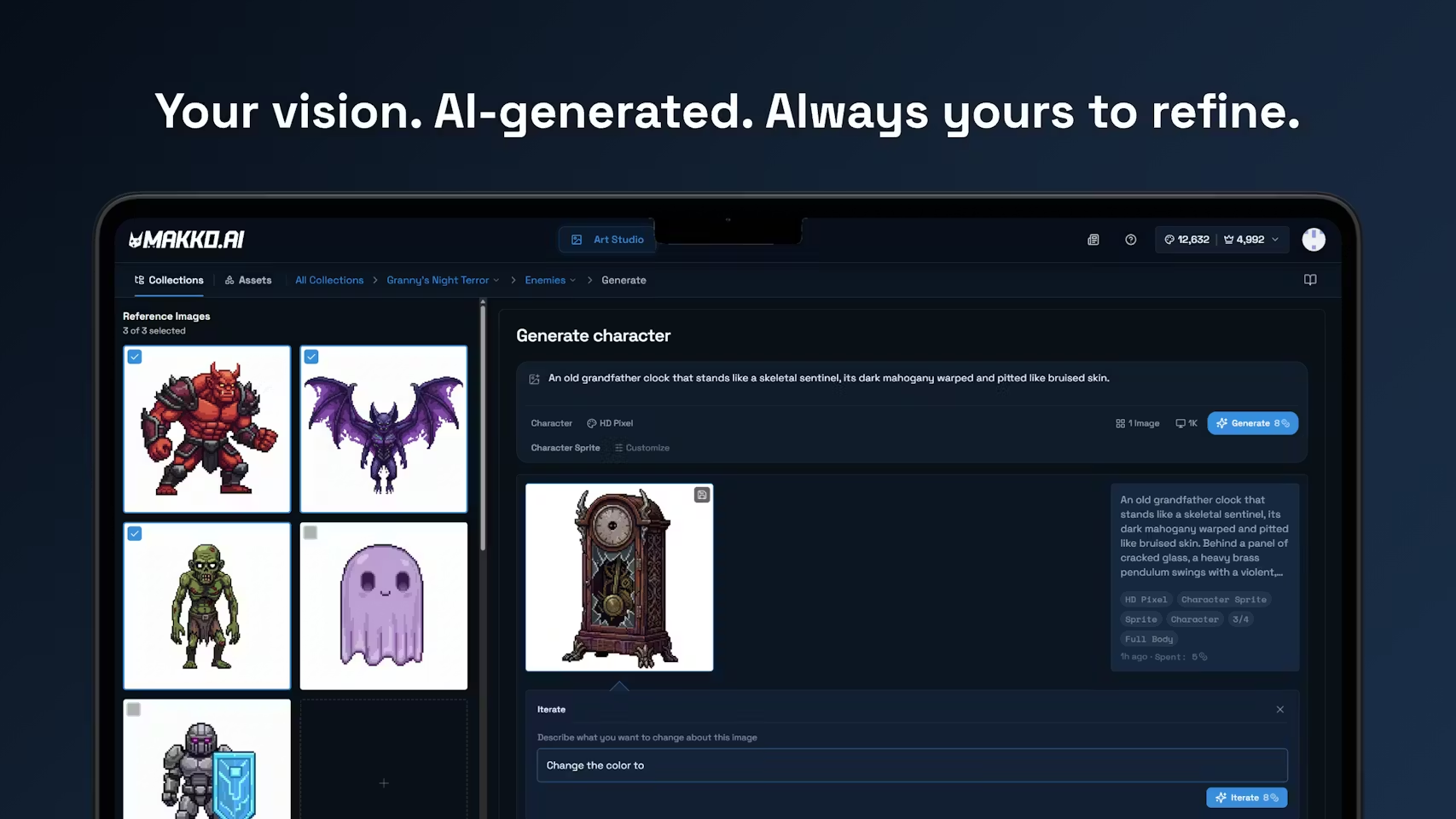
From there, generation works in a straightforward loop. You write a description, choose an art style from options including HD Pixel, Comic Book, Chibi, Painterly, and more, and set the preset for what you are making: a Character Sprite, a Concept Art image, a UI Mockup, or Splash Art. Makko produces up to 8 variations per pass. You evaluate, select the strongest direction, and use the Iterate workflow to refine: describe exactly what you want to change and the AI applies only that change, leaving everything else intact.
When a character is ready, a Reference Sheet is generated: three views of the same character, front, side, and back. That Reference Sheet is what powers animation. With it, Makko can generate Idle, Run, Jump, Attack, and other animation states directly from the character you already built, keeping the animated version consistent with the still version throughout.
You are always the creative director. The AI executes the direction you give it. The workflow is deliberate. The results are consistent.
Collections: The Feature That Makes Consistency Possible
Collections is the primary feature in Art Studio and the most important thing to understand about how Makko works. It is not a folder system. It is how you give the AI persistent context about your game's visual world so that every character, background, and object you generate belongs to the same world.
Here is how to think about it. Imagine working with a human artist. On day one, you hand them a brief and they produce something. On day two, they come back: they remember what they made, they know your characters, they understand the world. The work they produce is informed by everything from day one. And day ten. And day fifty. That is what a Collection does for the AI. Permanent context. Organized by game. Built for the specific outputs game development actually requires.
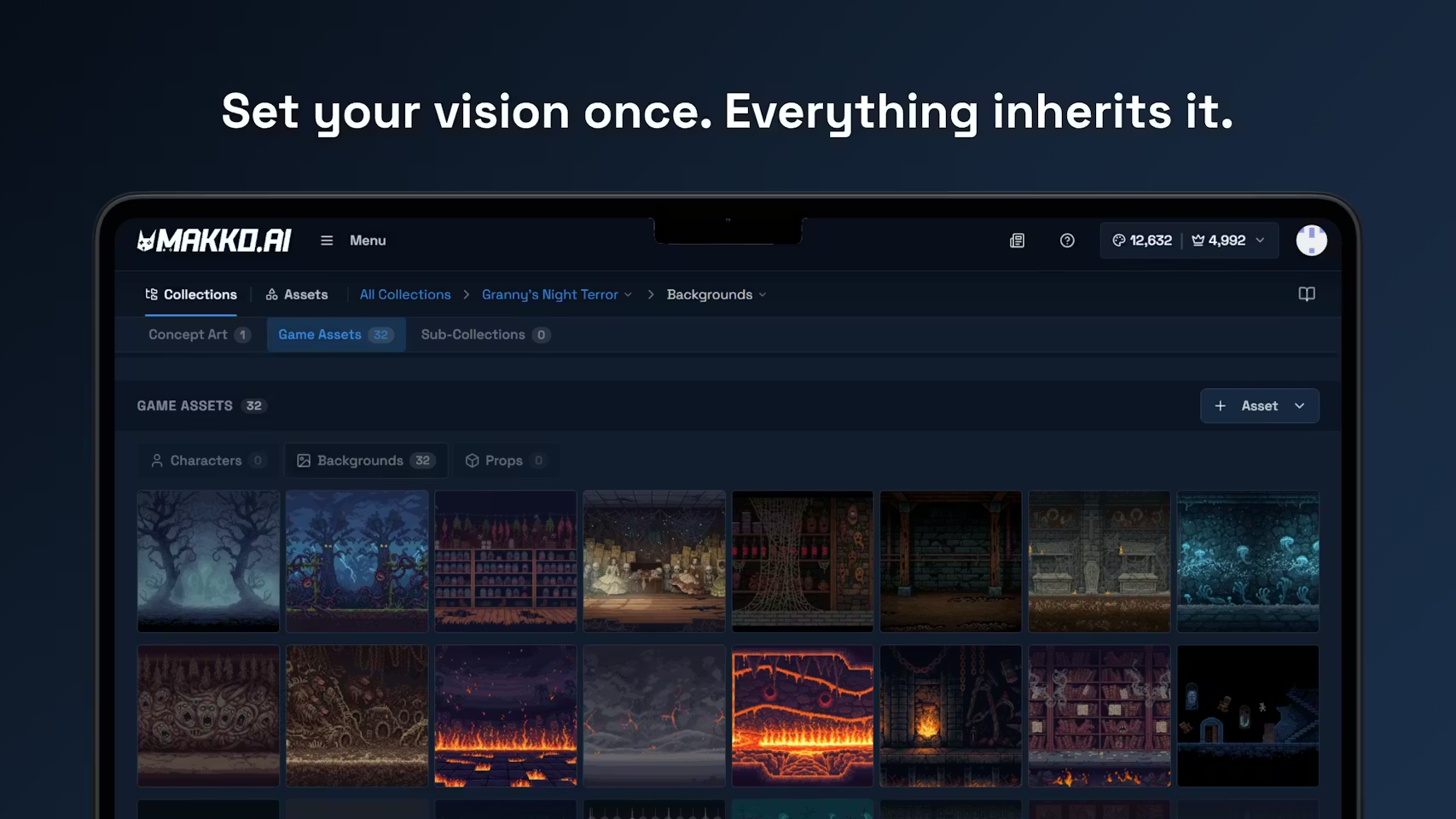
You create a Collection, name it after your game, and generate concept art that defines your visual direction. Every character, background, and object generated inside that Collection references that concept art automatically. Sub-collections let you organize by asset type: a Characters sub-collection, a Backgrounds sub-collection, a Props sub-collection. Each one inherits the visual foundation from the parent Collection without you having to rebuild it.
This is what separates Makko from general AI game art generators that produce strong individual images with no guarantee the next one matches. Set your vision once. Everything inherits it.
Code Studio: Turn Your Art Into a Playable Game
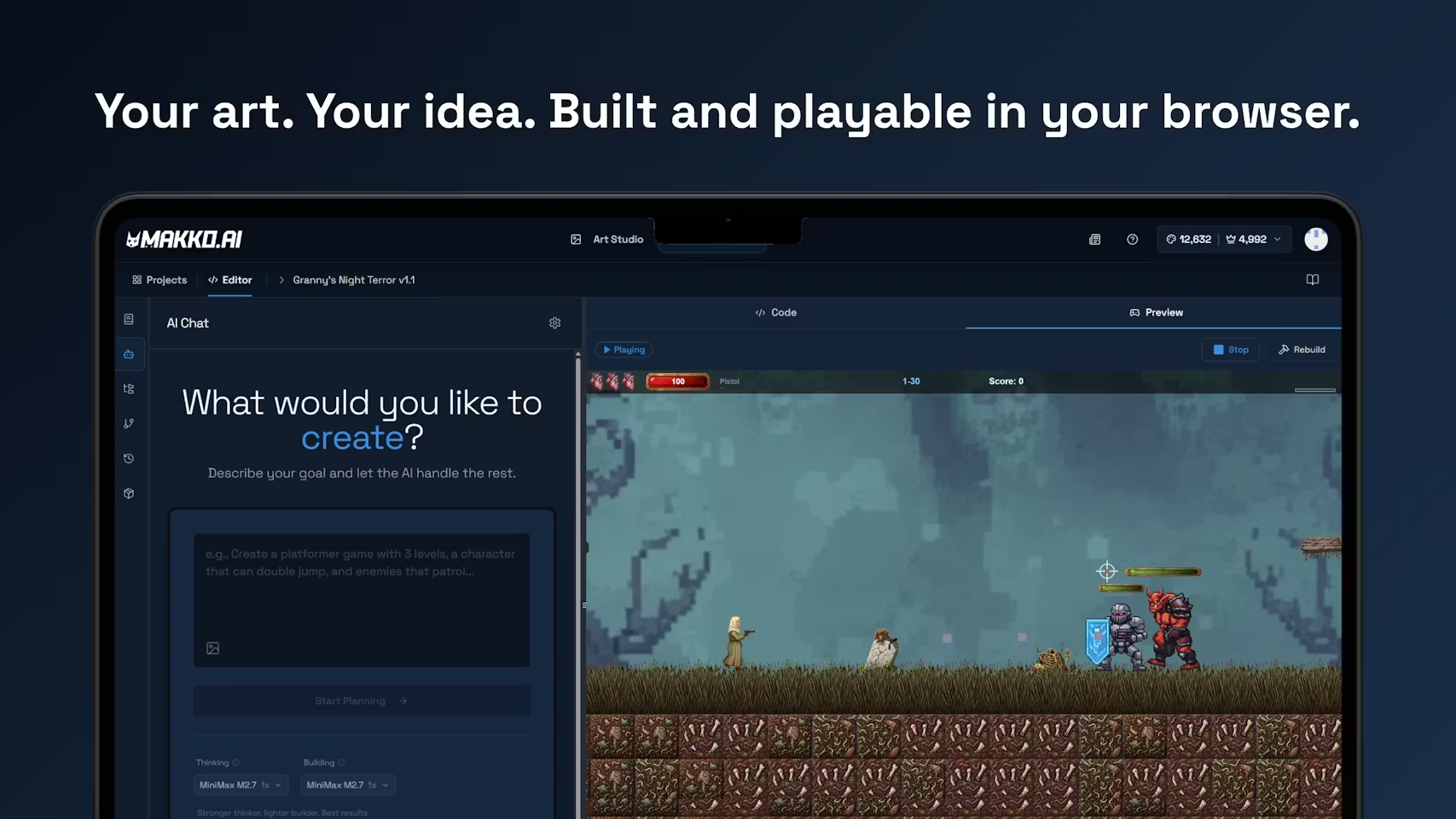
Once you have built your art in Art Studio, Code Studio is where it becomes a game. The workflow is direct: describe your game idea in plain English, and the AI builds it using your own characters and art. The result is playable in your browser without installing anything.
Code Studio has two modes that calibrate how the AI approaches each task. Plan Mode generates a structured plan first, a full breakdown of what the AI intends to build, which you can read, adjust, and redirect before a single change is made to the project. Fast Mode executes immediately, best for simple, well-defined changes. Both modes keep the creator in control: you approve the direction, the AI builds it.
Characters are imported through the Character Manifest system, which packages all of a character's animation states for use in a specific game project. One character can have multiple manifests, one per game, each with independent settings. The Asset Library connects everything built in Art Studio to everything being built in Code Studio in one place.
During beta, creators used Makko to build over 3,500 games and prototypes. The platform supports platformers, roguelikes, visual novels, deck builders, and more. If you can describe it, you can build it.
The Numbers Behind the Platform
Makko spent the beta period focused on product quality and creator feedback rather than growth. Here is what that period produced:
| Metric | Number |
|---|---|
| Total creators | 4,500+ |
| Art pieces generated | 40,000+ |
| Games, prototypes, and vertical slices built | 3,500+ |
| 30-day retention | 53% |
The team behind Makko brings experience from Amazon, Twitch, EA, Nintendo, and PAX. The platform is built on the belief that AI should assist creators, not replace them. Makko's CEO Jeremy Bird put it directly when describing the platform's philosophy: human-in-the-loop means creators steer, AI executes, and production-quality output is the result of that collaboration, not a one-click novelty.
Creators own everything they make on Makko.
Support the Launch
Makko is live on Product Hunt today. If the platform sounds like something you have been looking for, or if you have been building with it during beta and want to show some love to the team, you can find the launch here.
New customers can use code ProductHunt at checkout on makko.ai for 10% off their first month, for a limited time aligned with today's launch.
Frequently Asked Questions
What is Makko AI?
Makko is an AI-powered 2D game studio where anyone can create every piece of art a 2D game needs and build a playable game, all by describing what they want. No drawing skills. No coding skills. Art Studio handles the art: concept art, characters, backgrounds, objects, and animations. Code Studio handles the game: describe your idea, the AI builds it, play it in your browser.
Who is Makko for?
Makko is for anyone who wants to make a 2D game but has been blocked by the art side, the code side, or both. That includes non-technical creators with game ideas, indie developers who need faster art production, professional artists who want to accelerate their workflow, hobbyists building their first prototype, and small teams that need consistent art across an entire game without a dedicated artist.
How does Makko keep art looking consistent across a full game?
Through Collections. A Collection gives the AI persistent context about your game's visual world: concept art you create at the start of a project that every subsequent generation references automatically. Close Makko, come back a week later, and the AI still knows what your game looks like. Every character, background, and object built inside the same Collection belongs to the same visual world because they all reference the same foundation.
Is Makko free to start?
Yes. New creators receive a one-time credit grant on signup, no credit card required. The free credits are sized to cover a real first project: up to 30 characters, 30 backgrounds or objects, or 3 sprite animations, or a mix within the same budget. For today's Product Hunt launch, new customers can use code ProductHunt at checkout for 10% off their first month.
Do creators own what they make on Makko?
Yes. Everything you create on Makko belongs to you.
For tutorials, devlogs, and live builds, visit the Makko YouTube channel.
Related Reading
- How to Use Makko AI Collections: Build Consistent Game Art With AI
- AI Character Generator for Games: How to Create Consistent 2D Characters With AI
- What Is Makko Art Studio? The AI Game Asset Generator Built for Game Developers
- Make a 2D Game With AI: Art, Characters, and a Playable Game From One Platform
- How to Make a Game Without Coding: The Complete AI Walkthrough
- No-Code Roguelike: How I Shipped a Full AI-Generated Game in 10 Days