Makko AI vs Rosebud AI: Which Is Right for Your 2D Game?
Makko AI and Rosebud AI compared. See which AI game maker wins for 2D art, consistency, no-code game building, and free tier value.


Makko AI and Rosebud AI are both no-code AI game creation platforms, but they serve different creators with different priorities. Makko is purpose-built for 2D game art consistency. Rosebud is built for speed to a playable prototype in 2D or 3D.
If you are trying to make a 2D game with AI without drawing skills or coding knowledge, you have probably come across both Makko AI and Rosebud AI. They look similar on the surface: describe what you want, AI builds it, play it in your browser. But they are solving different problems for different creators, and choosing the wrong one will cost you time.
This comparison covers what each tool actually does, where each one falls short, and which one fits which kind of creator. No hype in either direction. Just what you need to pick the right tool for your project.
What Rosebud AI Actually Is
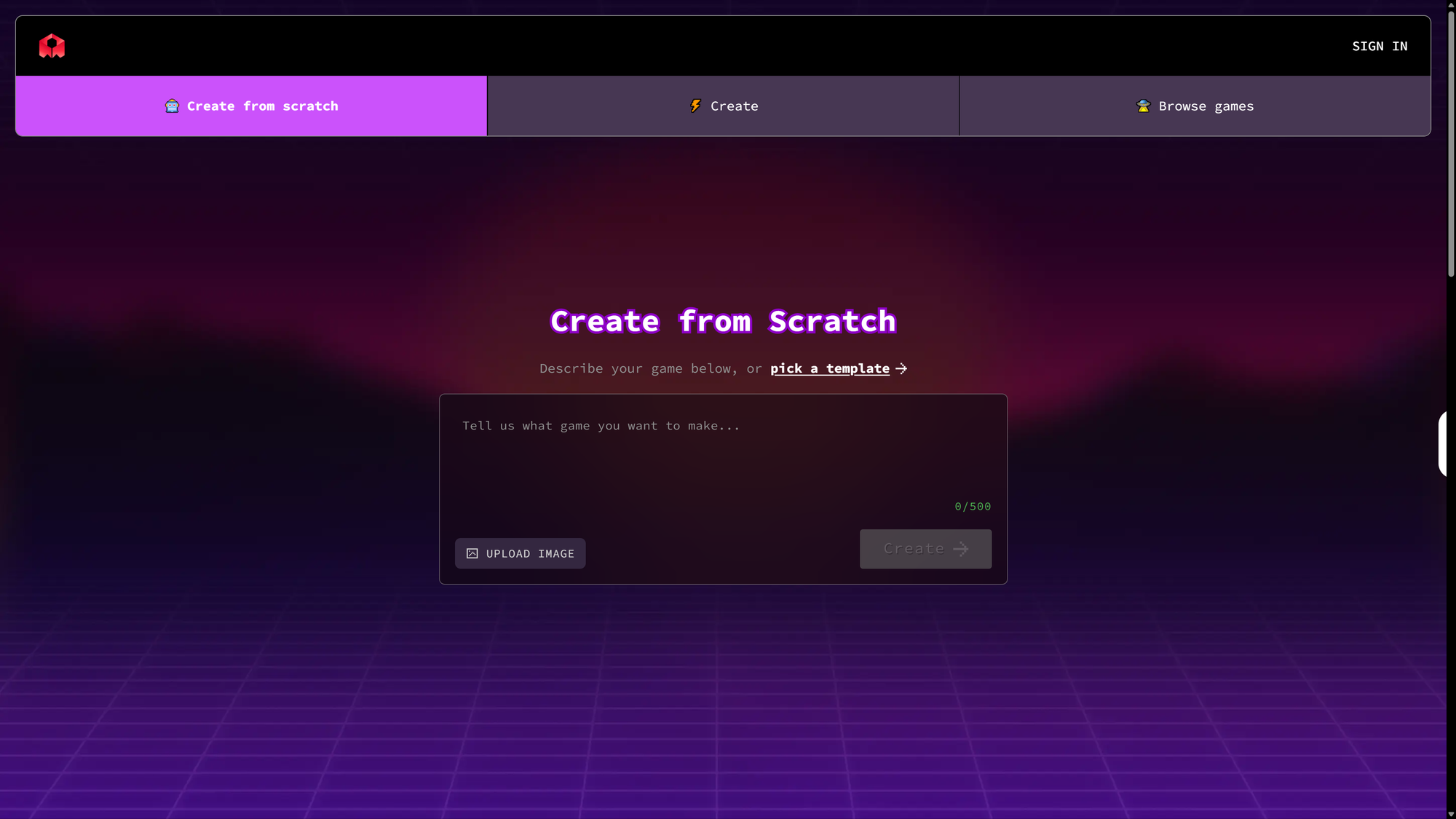
Rosebud AI is a browser-based vibe coding platform. You describe a game idea in plain text and the AI generates the code and assets for a playable result, with no downloads and no traditional programming required. It supports both 2D and 3D output and has built more than 2.4 million games in its community since launching.
Rosebud's core strength is speed. You can go from a text prompt to something playable in the browser faster than almost any other tool available. It includes templates for RPGs, visual novels, platformers, and cozy games, and it has a sprite sheet generator called PixelVibe built into the platform. The free tier gives you 20 prompts per week, which is enough to build and iterate on small prototypes. Commercial rights require a paid Pro or 10x Dev plan.
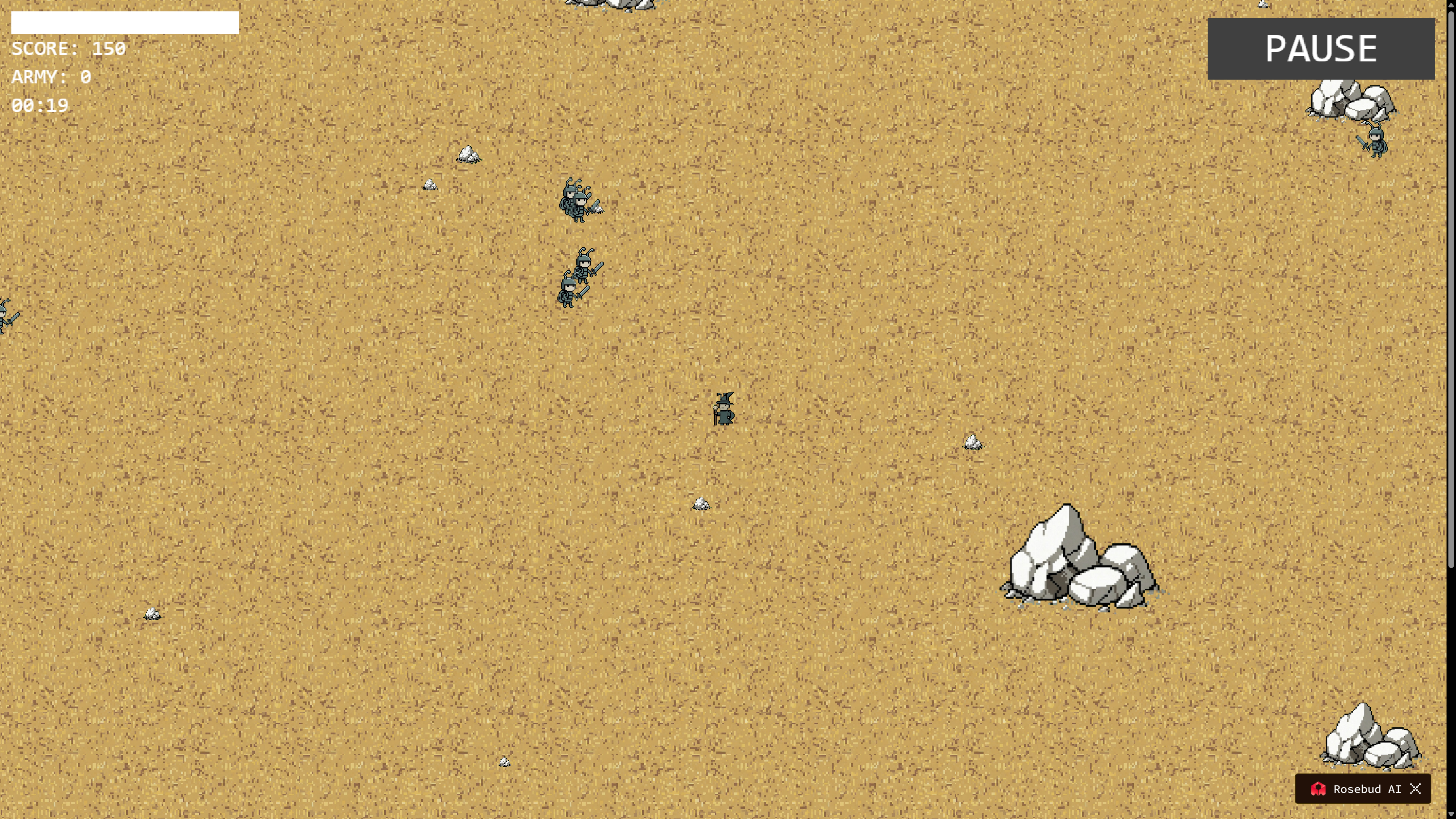
The trade-off is depth and control. Rosebud optimizes for getting you to playable quickly. What you get in exchange is browser-only output with no export to Steam or desktop, and no dedicated system for keeping your art consistent across an entire game. Each generation is largely independent. A character you create in one session carries no visual memory into the next one. Your game world can end up looking like it was assembled from different art directions, because in a practical sense it was. For creators who want a full AI game art pipeline with real consistency across every asset, that gap matters.
What Makko AI Actually Is
Makko AI is a dedicated AI 2D game studio. It is not a general vibe coding tool and it does not support 3D. Everything in Makko is built around one workflow: start with concept art, create characters with specific gear and details, build backgrounds and objects, animate your characters, then bring it all into Code Studio to make it playable in your browser.
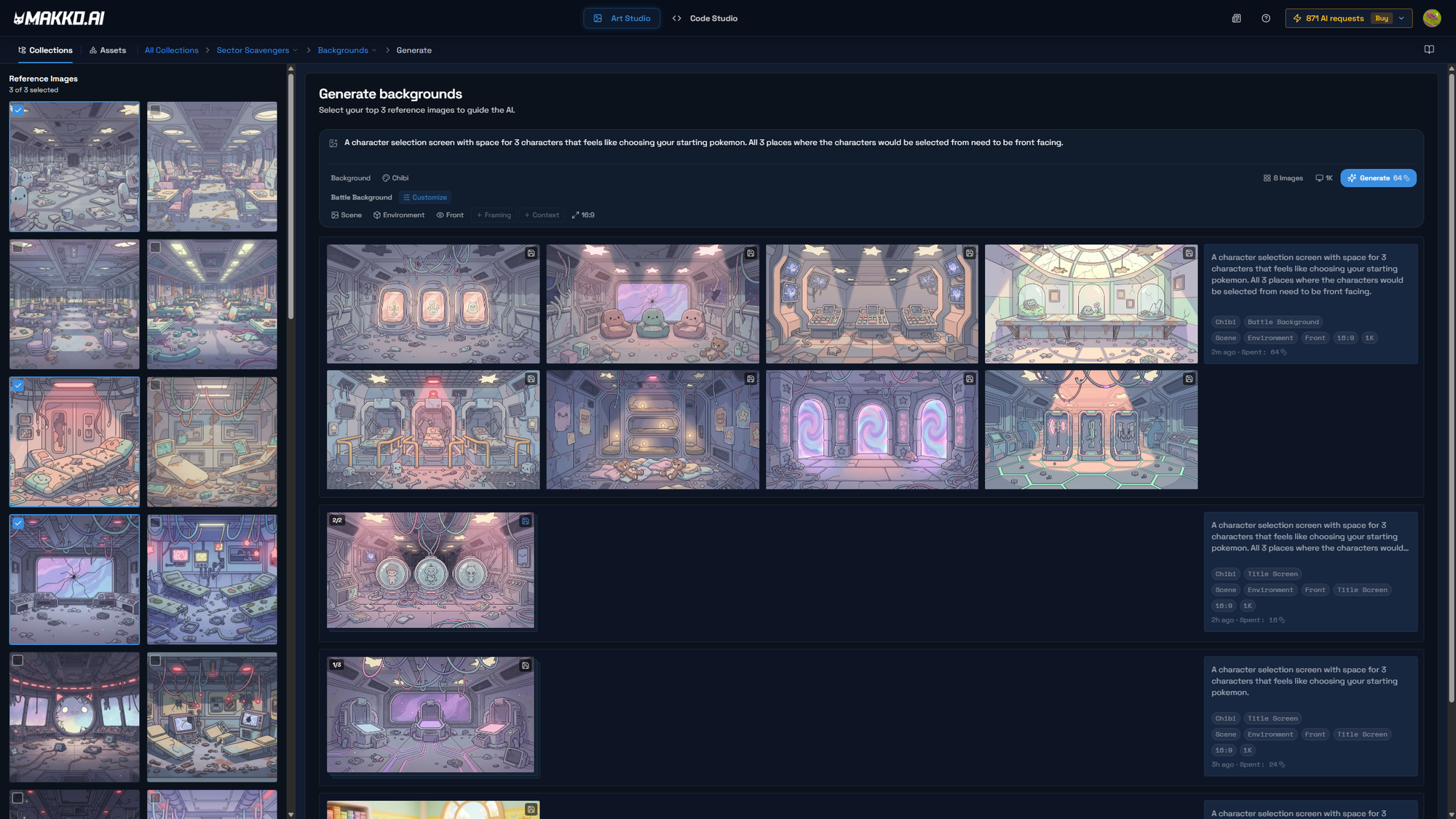
The defining feature is Collections. A Collection is not a folder. It is persistent creative context for the AI. When you create a Collection and generate concept art inside it, the AI uses that visual direction for everything you create inside that Collection going forward. Every character, background, prop, and animation you generate inherits the same art style automatically. Sub-collections let you organize characters, enemy groups, biomes, and cities separately while each inherits the parent style without any extra setup.
The result is that your game art looks like it belongs to the same world, because it was all generated with the same AI context. A forest background and a castle background and the main character and the enemy sprites all match because they all came from the same Collection. No other tool has an equivalent system, and it is why creators who have tried other AI game generators keep running into the same consistency problem that Makko was specifically built to solve.
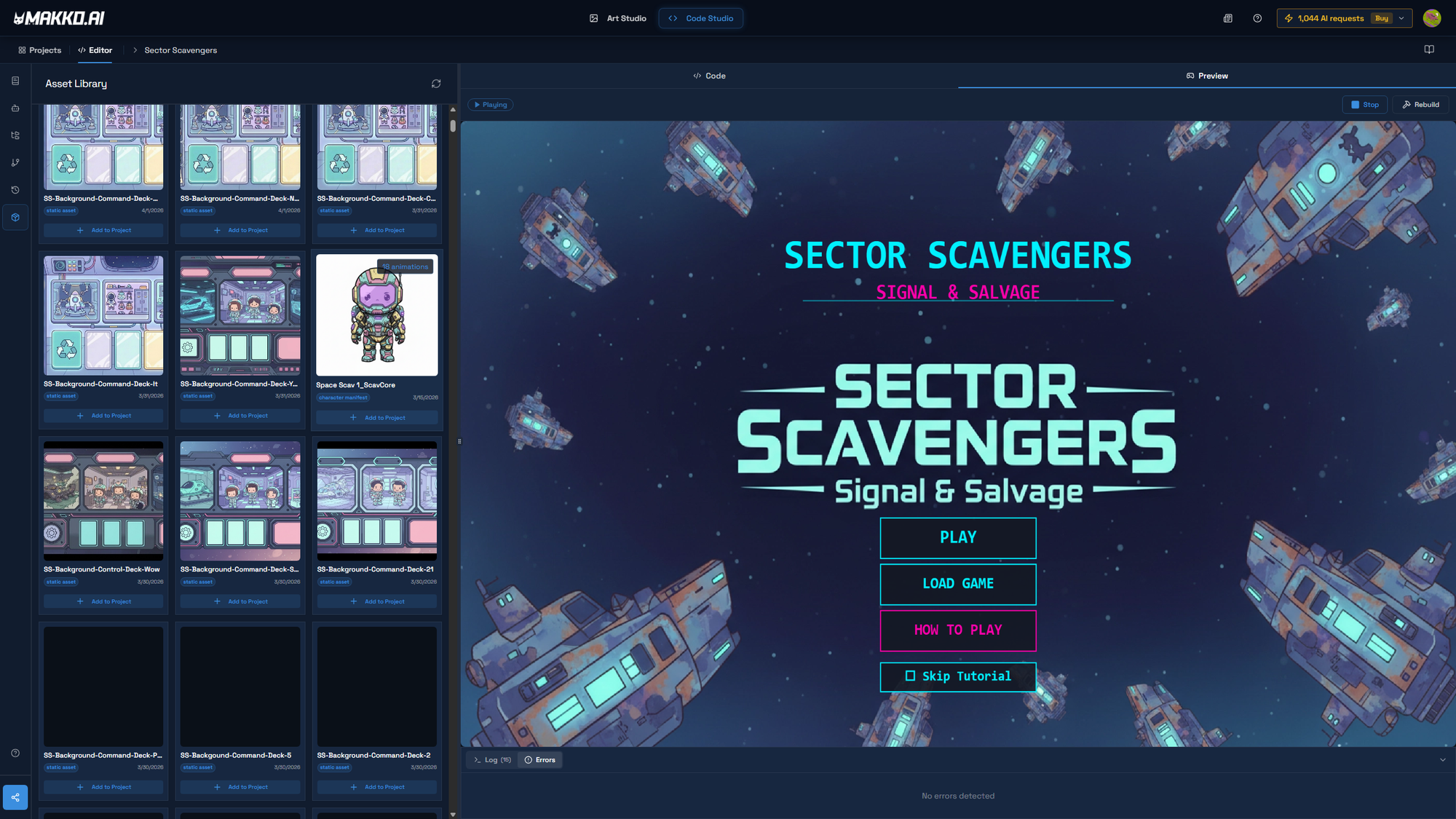
Makko's Art Studio handles the full pipeline: concept art generation, character creation with specific gear and details, background and prop generation, and animation with multiple poses and actions. Once your art is ready, Code Studio lets you describe your game in plain English and the AI builds a playable prototype using your own characters and art. Both are available on the free plan with no credit card required to start.
Side-by-Side Comparison
| Feature | Makko AI | Rosebud AI |
|---|---|---|
| Primary focus | Dedicated 2D game studio, full art pipeline and game building | Broad vibe coding platform, 2D and 3D |
| Art consistency | Collections keeps all art in one style permanently across every session | No dedicated consistency system, each generation is independent |
| Concept art pipeline | Yes, concept art sets the visual foundation before any assets are created | No dedicated concept art step |
| Character animation | Full animation pipeline, walk, run, attack, idle, and more | Sprite sheet generation available via PixelVibe |
| Build playable games | Yes, Code Studio builds games using your own characters and art | Yes, core strength and fastest path from prompt to playable |
| 3D support | No, 2D only | Yes, 3D is a primary feature |
| Export to Steam or desktop | Browser-based play and sharing | Browser-only, no Steam or desktop export |
| Free tier | Yes, no credit card required, Collections included free | Yes, 20 prompts per week, commercial rights require paid plan |
| Best for | Creators who need consistent 2D art across their whole game | Creators who want to reach a playable prototype as fast as possible |
When Rosebud Is the Right Choice
Rosebud is a good tool for what it does. If your goal is to test whether a game concept is fun before investing time in art and polish, Rosebud gets you there faster than almost anything else. You describe an idea, you play it in minutes, and you know immediately if the core loop works. For game jam prototypes, concept validation, and quick experiments, it is difficult to beat.
Rosebud is also the better choice if you want to build in 3D. Makko does not support 3D at all. If your game idea requires a 3D environment or 3D characters, Rosebud handles this without requiring a traditional engine. The platform positions itself explicitly around 3D creation and has invested heavily in that direction.
Educators and interactive storytellers also find Rosebud useful. The platform has templates for visual novels, AI-powered NPCs, and interactive story experiences that work well for educational projects and narrative games where art consistency is a lower priority than reaching an audience quickly.
When Makko Is the Right Choice
Makko is the right choice when you care about how your game looks, not just whether it runs. If you have a vision for a specific art style and you want every character, background, and prop to look like it belongs to the same world, Collections is the only system built to solve that problem. That consistency is not something you can prompt your way into with a general tool. It requires persistent context across sessions, and that is exactly what Collections provides.
The workflow difference is meaningful. In Rosebud you describe a game and the AI generates everything at once: code, visuals, and gameplay. In Makko you build from the ground up. Concept art first, then characters built from that concept art, then backgrounds and props that match, then animation, then a playable game using everything you made. It takes longer to reach playable, but what you reach has a coherent visual identity because every step was built on the same foundation. For a detailed walkthrough of how that pipeline actually works, the complete no-code game walkthrough covers it step by step.
Makko is also the better choice for creators who want to use their art outside the platform. The AI character generator produces exportable sprites, sprite sheets, and animations. Many creators use Art Studio to build assets for their own projects without ever touching Code Studio, and that is a valid use case Makko was explicitly designed to support. For those who do want to animate and use characters in a game, the sprite animation workflow is built to take characters from generated art all the way through to game-ready animation.
If you are a solo developer who has been stuck because you cannot draw, the specific kind of stuck where you have the game idea and the mechanics figured out but cannot produce art that looks right, Makko is built for that situation. The majority of Makko's users come specifically for the art. Collections is what unblocks them.
The Core Difference in One Sentence
Rosebud asks "what game do you want to play?" and builds it immediately. Makko asks "what world do you want to create?" and builds it with you, piece by piece, so that everything looks like it belongs together when you are done.
Neither answer is wrong. They are different priorities for different creators. The question is which one matches where you are right now.
Frequently Asked Questions
What is the difference between Makko AI and Rosebud AI?
Makko AI is a dedicated 2D game studio with a full art pipeline and a Collections system that keeps all art consistent across your game. Rosebud AI is a broader vibe coding platform that generates playable games quickly in both 2D and 3D. Makko is built for production-quality consistent 2D art. Rosebud is built for speed to a playable prototype.
Can Rosebud AI generate consistent game art?
Rosebud can generate sprites and assets, but it has no dedicated system for keeping art consistent across an entire game. Makko's Collections system solves this by giving the AI permanent context about your game's visual world so every asset you generate inherits the same style.
Is Rosebud AI free?
Rosebud offers a free tier with 20 prompts per week. Commercial usage rights require a paid Pro or 10x Dev plan. Makko also offers a free tier with no credit card required, and Collections is included on the free plan.
Which tool is better for someone who cannot draw?
Both tools remove the need for drawing skills. Makko is the stronger choice if you want your game art to look like it belongs to the same world. Rosebud is the stronger choice if your primary goal is reaching a playable prototype quickly without needing deep art consistency.
Does Makko AI support 3D games?
Makko is purpose-built for 2D games only. If you want to build a 3D game, Rosebud supports 3D creation. If you want a complete 2D pipeline from concept art through animation to a playable game, Makko is the more complete option.
For full walkthroughs of the Collections workflow, character creation, and Code Studio, visit the Makko YouTube channel.
Related Reading
- How to Use Makko AI Collections: Build Consistent Game Art With AI
- AI Game Art Generator: Characters, Backgrounds, Animations and Why Consistency Is the Hard Part
- AI Character Generator for Games: How to Create Consistent 2D Characters With AI
- Make a 2D Game With AI: Art, Characters, and a Playable Game From One Platform
- AI Game Generator vs Game Engine: Unity, Godot, GDevelop